37
T1000 TPMS Service Tool Manual_English_V1.01
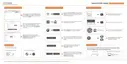
Figure 9-17 Sample New Product Registration Screen
NOTE
To check the serial number of a device, please boot it up, and select Settings>About. The serial
number is right on the About page. You can also find the serial number on the back of main unit or
Warranty Card.
9.2.2 Register With FoxAssist for T1000
To register with FoxAssist:
1. Launch the PC application FoxAssist for T1000. Sign in with your Foxwell ID/ registered email
and password.
Figure 9-18 Sample Sign in Screen
2. Select Activate and input serial number to complete product registration. If you have multiple
scanners to be registered, please enter all serial numbers you wish to activate. Or you can also
connect the scanner with your PC via USB cable, choose the Update icon and press the Enter
Key on the scanner, then your serial number will be automatically acquired by the FoxAssist for
T1000 and please click Activate to complete.



 To Next Page
 Loading...