Franking
61
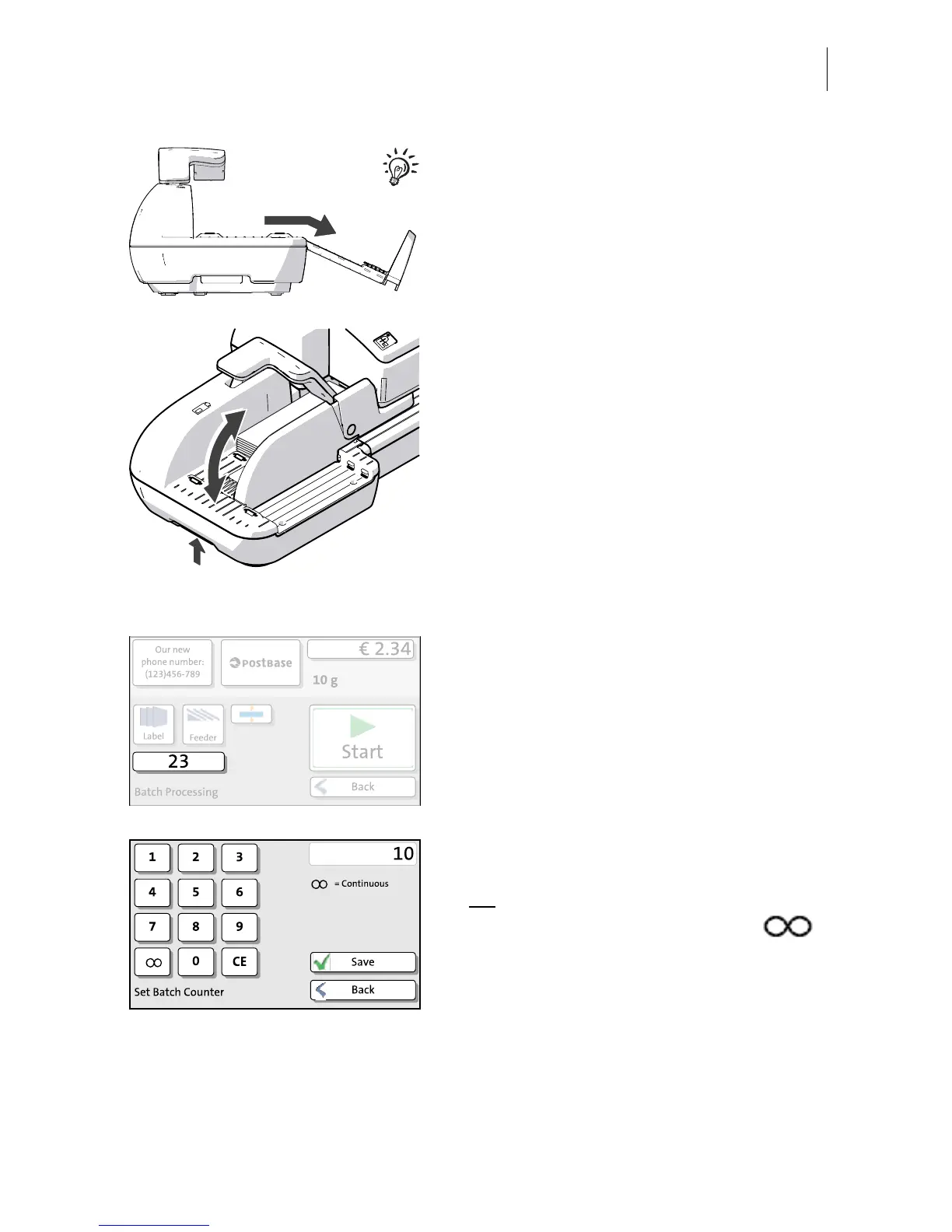
For large letters to be franked large side first:
• Pull out the letter guide until you can fold it
down.
Adjust the slope inclination:
• Unlock the letter receiving tray by pressing
the release key on the bottom left.
• Raise or lower the slope and let go of the
release key to lock the slope into position.
• Lower the pendulum (if necessary).
Set the batch counter
• In the pop-up, press the button below the
feeder button.
• Enter the amount of letters you want to
frank.
Or:
• Enable continous operation with the
button.
•S
AVE the setting.


 To Next Page