PostBase mailing system with Dynamic Scale
32
Setting up Feeder plus with Ramp plus
Warning: automatic start-up! When the
PostBase is ready to start franking, the letter
transport starts up as soon as an object is
present in the light barrier of the Ramp plus.
Therefore, do not reach into the area of the
light barrier, and do not allow any objects to
enter the light barrier. In this way, you can
avoid accidentally starting the letter trans-
port.
To set up the mailing system, you can enter
the PostBase M
ENU. PostBase is not ready
for franking at this time and the letter trans-
port cannot start.
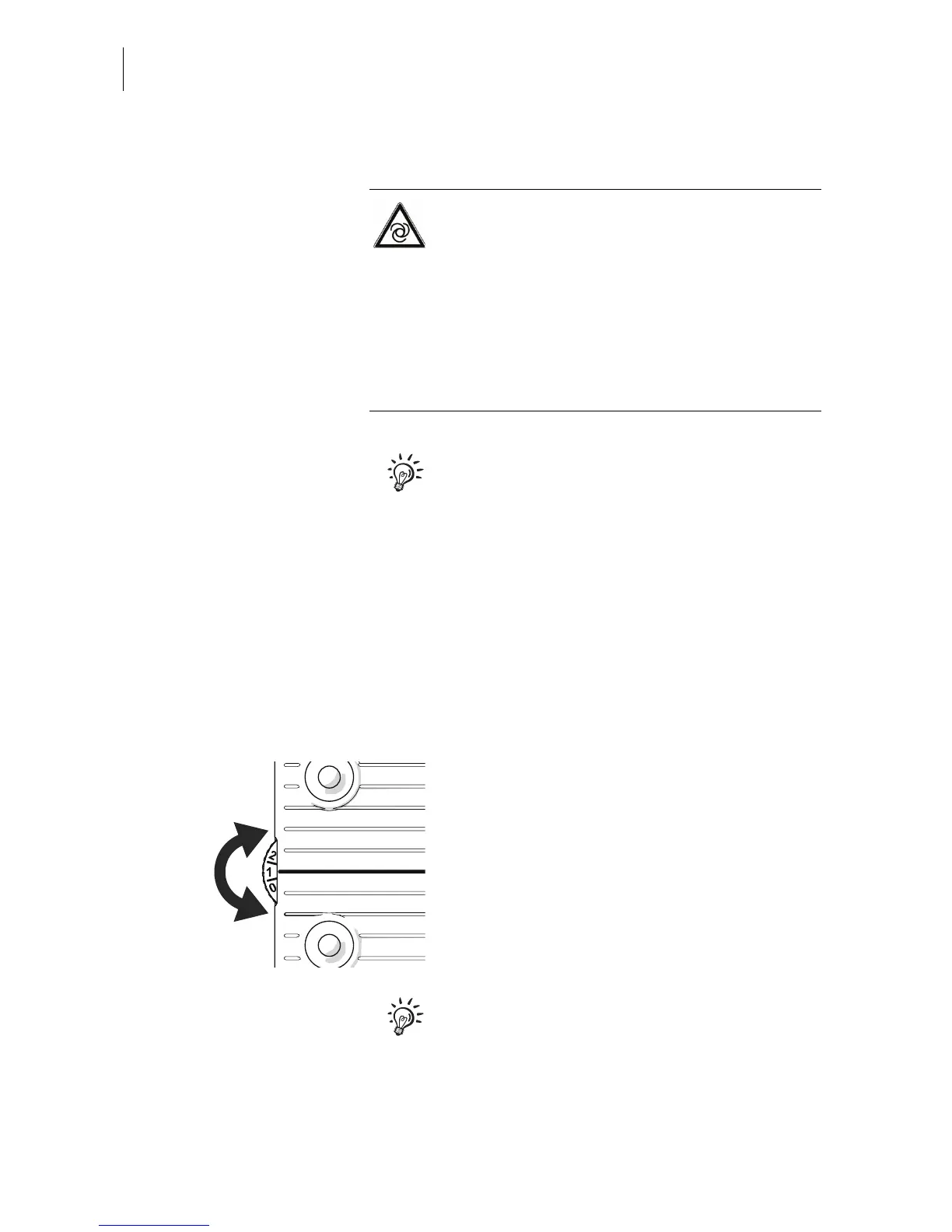
Setting the adjustment wheel Letter feed
Use the adjustment wheel to change the
alignment (angle setting to the running direc-
tion of the letters) of certain rollers on the
Ramp plus. In this way, you regulate how
forcefully the mail pieces are pushed in the
direction of the contact area during feeding.
Recommended settings:
• Turn the adjustment wheel to the
appropriate position in steps.
You can also set the adjustment wheel when
letter transport is in progress, and align the
setting during processing in this way.
Standard: 1 to 1.5
Thick, large letters
(e.g. ISO B4):
0 to 1
Postcards: 3 to 4



 To Next Page