Description of the menu | 53
FRAKO | Operating Manual | Power Quality Controller – PQC
In order to keep the wear of the contacts to a minimum, the switching delay time
should be set to less than 45 seconds only in exceptional cases. The discharge time,
which ensures that the capacitors are fully discharged before they are switched on
again, takes precedence over, i.e. overrides, the switching delay.
Selecting the controlled phase
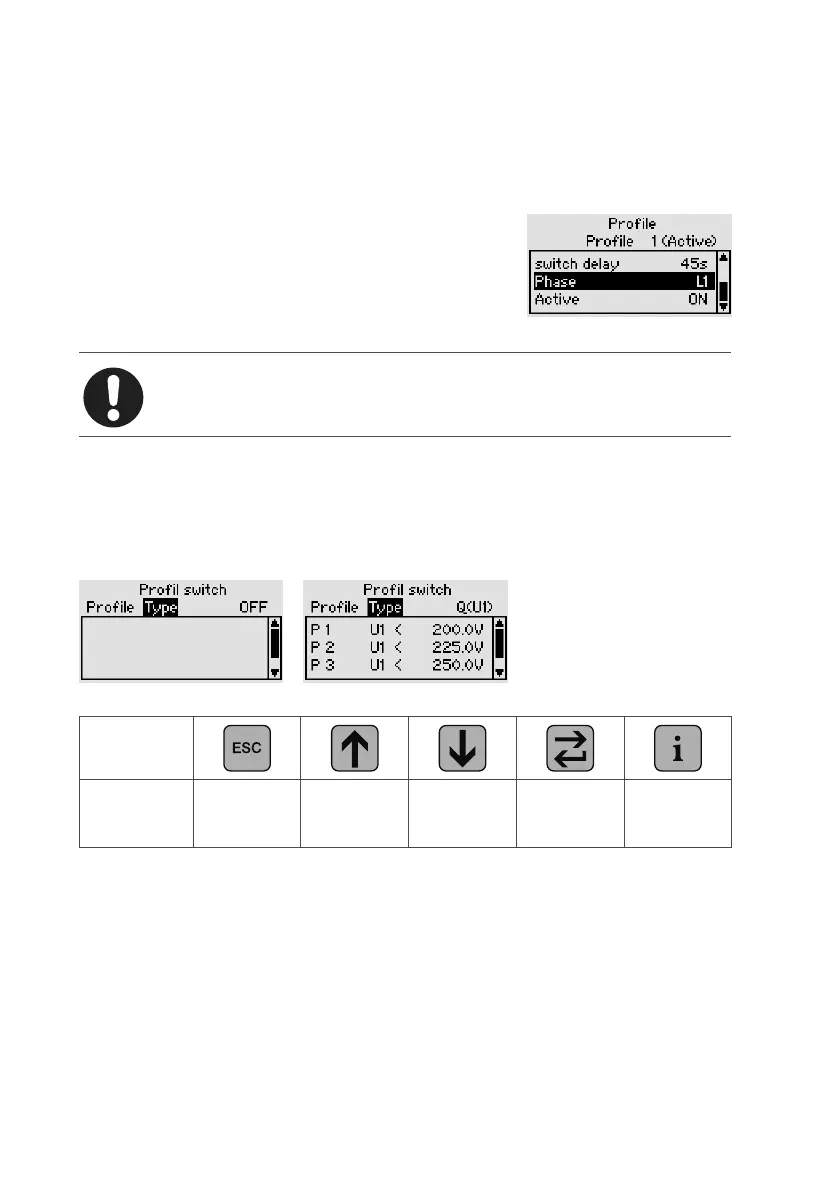
The Control profiles menu also includes the Phase set-
ting. This is used to select the phase used by the PQC
for control purposes (can only be edited on 3-phase
PQCs).
Any one of the three phases L1, L2 and L3 may be
selected.
Note
With single-phase PQCs, it is always the connected phase that is con-
trolled.
6.3.3.3 Automatic switching over of the control proles
(prole switching)
Main menu > Parametrization > Control parameters > Control profiles > Profile switching
Automatic profile switching off Automatic profile switching Q(V)
Key
Action
Control
setting
-
Profile
switching
settings
Switching
type
(Q(V1) etc.)
–
The automatic profile switching function enables the PQC control profiles to be
changed automatically. With this, a Q(V) or Q(P) control curve with 5 points on it can
be set up (see PQC Application Note).
The following parameters can be used to prompt switching:
– Voltage (L–N) and (L–L)
– Active power (phase power, total power)
– Digital inputs of the Temp. I/O option
– Frakobus tariff input (optional); only Profiles 1 and 2 can be switched over



 To Next Page