Framery Q (UL) Meeting Maggie
6 Roof
6.1 Connect the roof modules
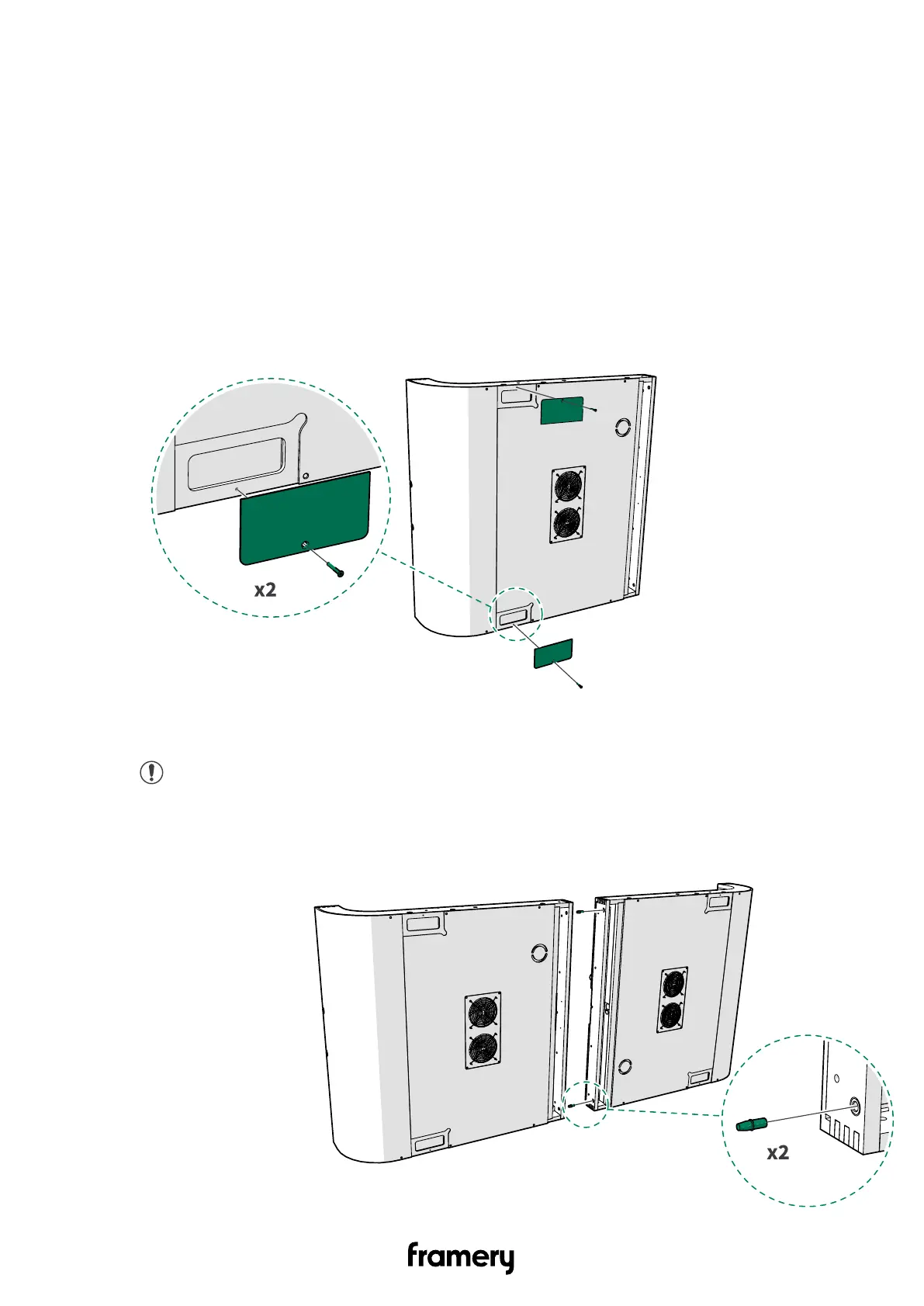
1. Unscrew the 4x20 screws (1 pcs each) and remove the roof cover plates (1 pcs each)
from both roof modules. Set the cover plates and screws aside.
2. Install the guide pins (2 pcs) to the mounting holes in one of the roof modules.
Note: Make sure that the flat side of the guide pin goes into the mounting hole.
34
Installation instructions
info@frameryacoustics.com


 To Next Page