possible to switch SGA trailer monitoring on or off
shortly after reversing or coupling up.
Safety Information
WARNING
When detection is restricted, SGA may issue a
warning too late or not at all. The detection of
obstacles can be impaired by the following
situations:
•
dirty, icy or obscured sensors
•
very wide lanes
•
vehicles not driving in the middle of their
lane
•
barriers or other road boundaries
There is a risk of an accident in these situations.
The driver must pay attention to the traffic
situation and maintain a safe distance at the side
of the vehicle.
SGA is only an aid for a conscientious driver.
Depending on the situation and the trailer, SGA may
issue a warning prematurely or not at all. SGA is not
a substitute for attentive driving. Always ensure there
is sufficient distance to the side for other vehicles,
cyclists, pedestrians, and obstacles.
IMPORTANT: If the sensors are dirty or SGA
malfunctions, a grey triangle alert icon appears
on the driver display. Objects in the monitoring
range are not tracked when this occurs.
Before driving the vehicle, ensure the radar
sensor cover is free from dirt, ice, or slush. If
the sensors get dirty while driving, pull off in a
safe location to clean them. The radar sensors
must not be painted or covered by items such
as stickers.
If the vehicle is involved in a severe accident or
there is damage to the right-hand footsteps,
have the function of the radar sensors checked.
If SGA malfunctions, have the function of the
radar sensors checked at an authorized dealer.
SGA is only an aid for a conscientious driver.
Depending on the situation and the trailer, SGA may
issue a warning prematurely or not at all. SGA is not
a substitute for attentive driving. Always ensure there
is sufficient distance to the side for other vehicles,
cyclists, pedestrians, and obstacles.
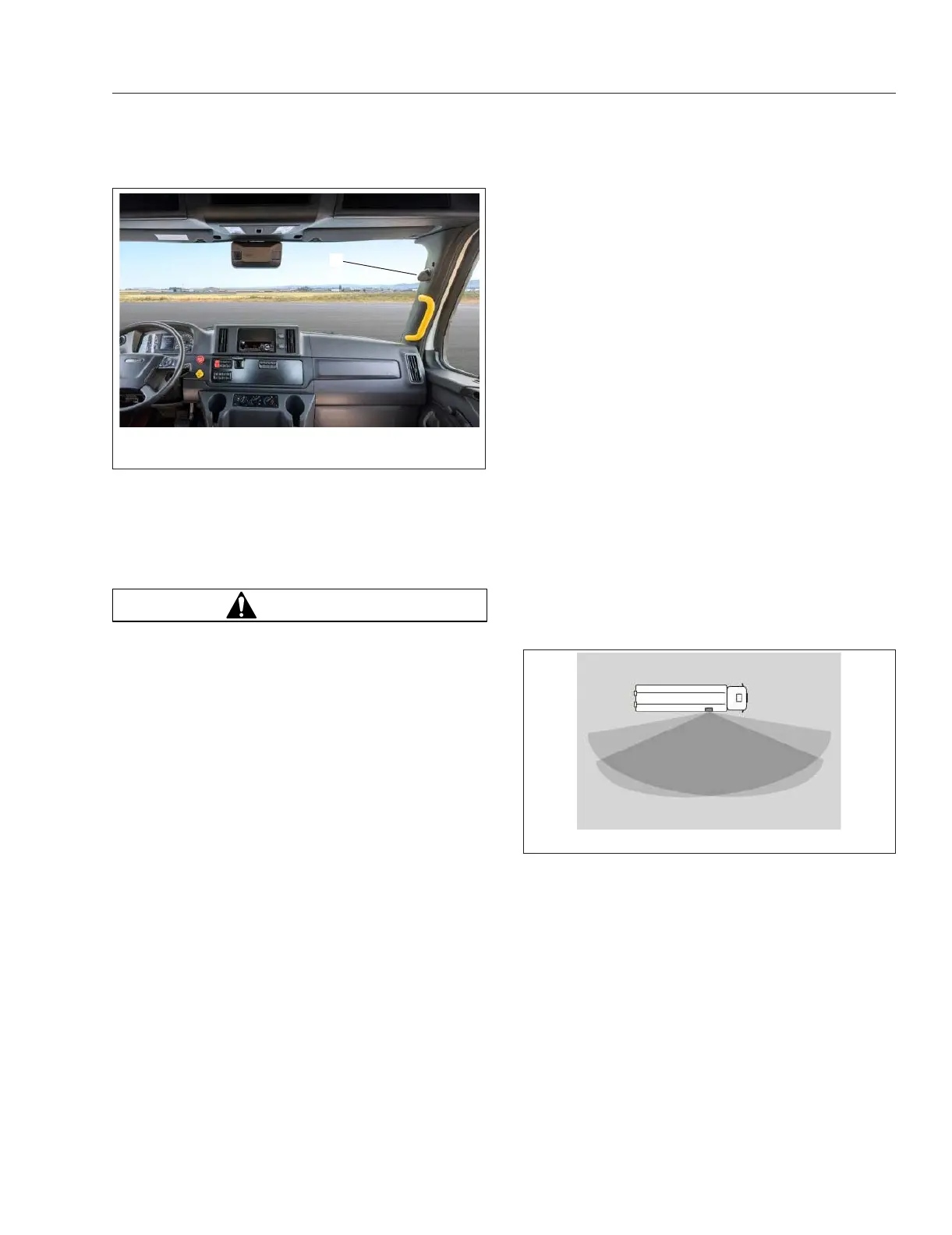
Sensor Monitoring Range
As shown in Fig. 6.16, there is an empty angle of
approximately 6 degrees between the vehicle and
the area monitored by the sensor. Objects within this
area are not detected.
Due to the nature of the system, warnings may be
issued in error when driving close to barriers or other
solid boundaries.
Warnings may also be interrupted when driving
alongside particularly long vehicles for a prolonged
time.
SGA Indicator Lamps
NOTE: Depending on the type of instrument
panel installed in the vehicle, the telltales
described as grey may appear white.
f54803712/07/2022
1
1. Warning Lamp
Fig. 6.15, SGA Warning Lamp
f61153210/11/2018
Fig. 6.16, Sensor Monitoring Area
Detroit Assurance 5.0
6.14














 To Next Page