is used, the telltale for Side Guard Assist Error or
Deactivation illuminates as shown in Table 6.3.
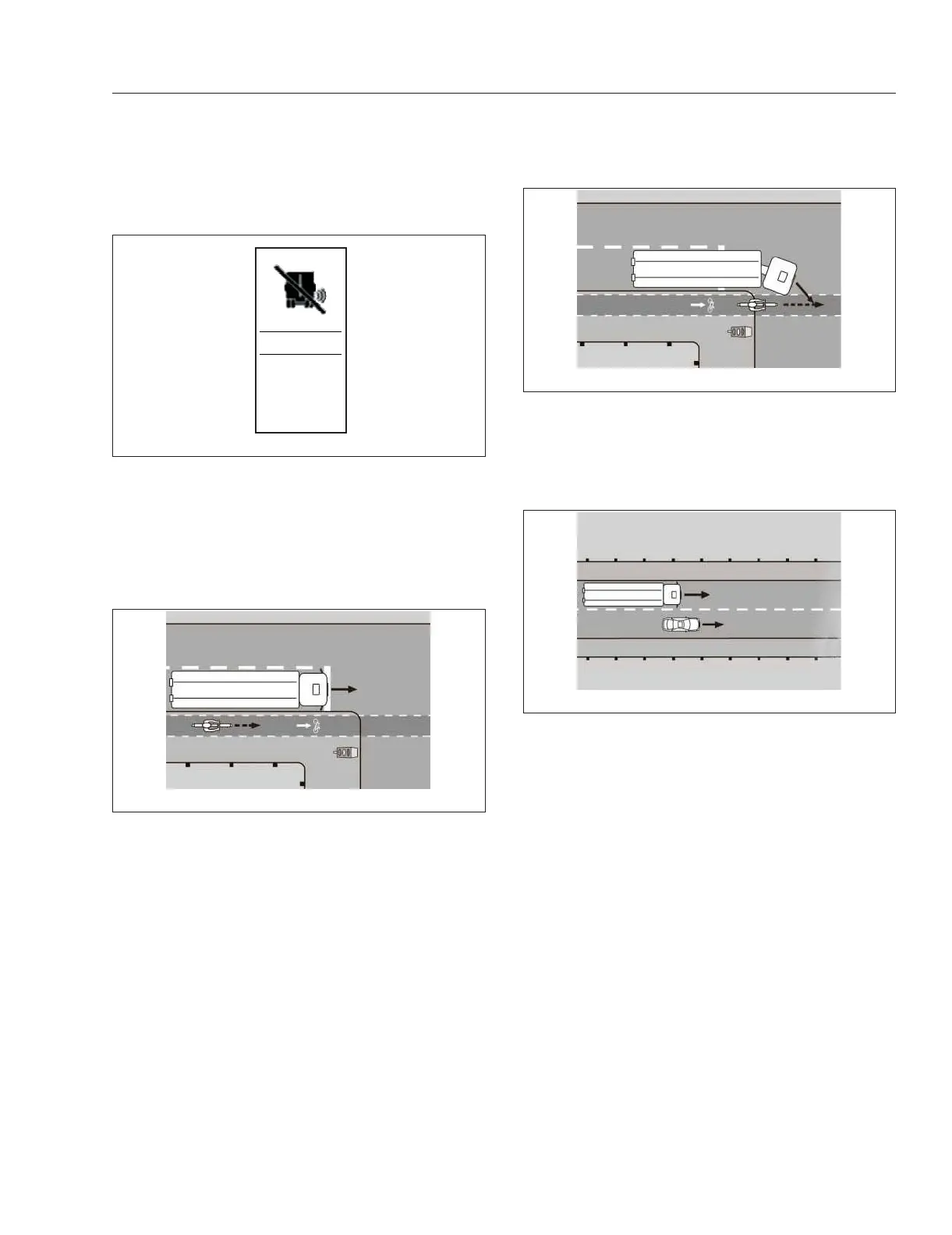
Warnings for Moving Objects
If there is a moving object in the SGA monitoring
range, shown in Fig. 6.19, an amber SGA warning
lamp in the A-pillar activates and the ICU displays
the appropriate SGA caution telltale.
Warnings When Turning Right
SGA recognizes when the driver signals or steers to
the right and there is a risk of collision. See
Fig. 6.20. In this situation, the red SGA warning lamp
in the A-pillar flashes for a few seconds, a warning
tone sounds, and the ICU displays the appropriate
SGA warning telltale. After flashing, the red warning
lamp stays on as long as there is a risk of a collision.
Warnings When Changing Lanes
If there is a moving object in the SGA monitoring
range when a driver signals or steers to the right,
shown in
Fig. 6.21, an amber warning lamp activates
in the A-pillar and the appropriate SGA caution
telltale appears on the driver display screen.
If there is a moving object in the SGA monitoring
range when a driver signals or steers to the right,
shown in
Fig. 6.22, the red warning lamp in the
A-pillar flashes and a warning tone sounds and the
appropriate SGA warning telltale appears on the
driver display screen. The red warning lamp stops
flashing after a few seconds but stays on as long as
there is a risk of a collision.
Warnings When Turning Right for
Stationary Obstacles
IMPORTANT: SGA is only an aid. It may fail to
detect some objects and is not a substitute for
attentive driving. Always ensure that there is
sufficient distance to the side for vehicles,
cyclists, pedestrians, and obstacles.
SGA warns the driver about stationary obstacles in
the vehicle’s range of movement up to a maximum
speed of 22 mph (35 km/h).
f61220012/ /202212
SGA
OFF
Fig. 6.18, SGA OFF Switch
f61153310/11/2018
Fig. 6.19, A Moving Object in the SGA Monitoring
Range
f61153410/11/2018
Fig. 6.20, A Moving Object in the SGA Monitoring
Range When Turning Right
f61153510/11/2018
Fig. 6.21, A Moving Object in the SGA Monitoring
Range When Changing Lanes
Detroit Assurance 5.0
6.16














 To Next Page