25 Locust St, Haverhill, Massachusetts 01830 • Tel: 800/252-7074, 978/374-0761 • FAX: 978/521-1839
e-mail: sales@freqdev.com • Web Address: http://www.freqdev.com
Section 3
11
Model 9002
Installation and Setup
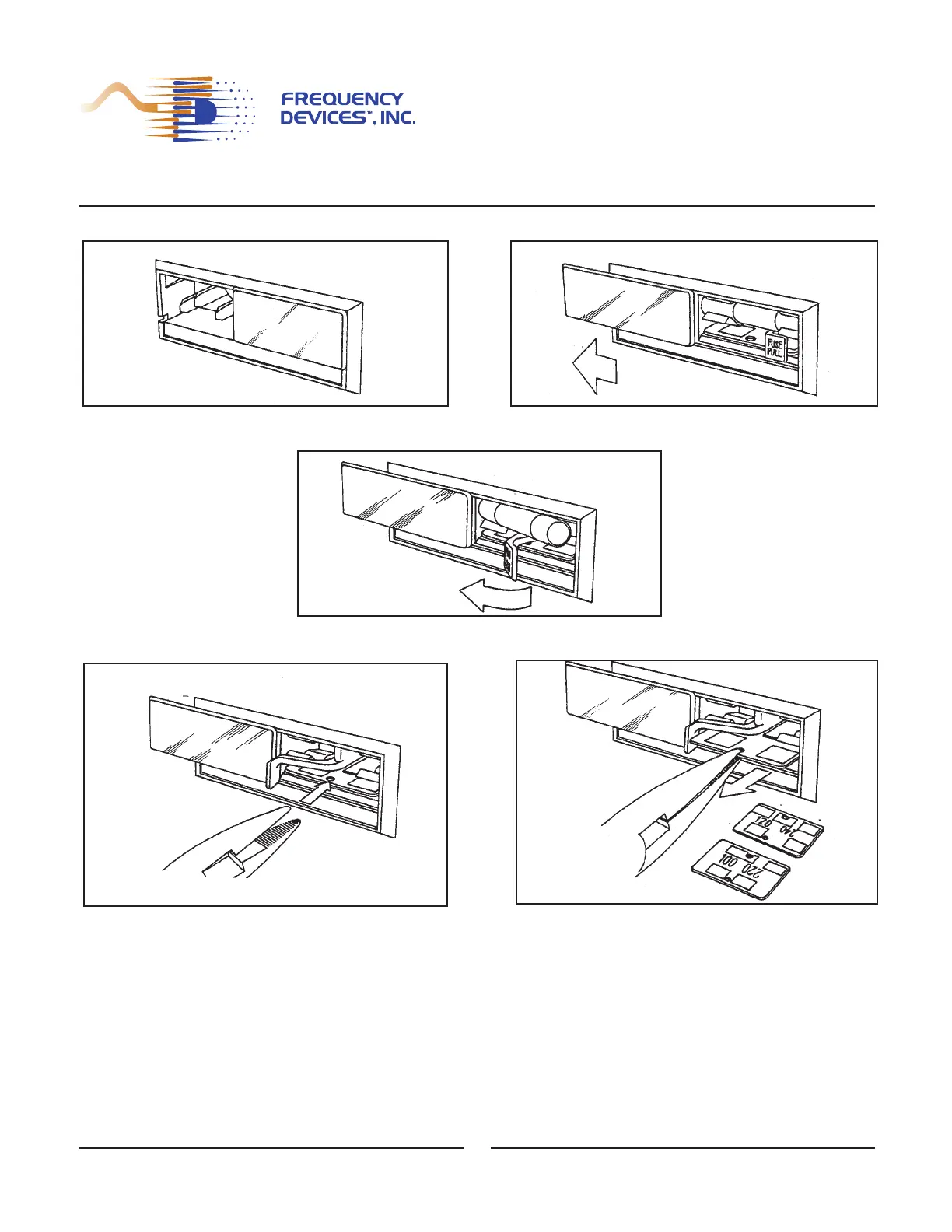
Reconfiguration of the system for a different voltage is accomplished as follows:
Figure 3.1 Changing the Line Voltage
Reverse this procedure to reassemble the voltage connector.
D. Grasp the voltage board, being careful no to
damage plated pads.
E. Remove the board by pulling straight out.
F. Select voltage by rotating the board until the desired voltage is oriented at the top left side of the board.
A. Remove the power cord. B. Slide the plastic door to the left.
C. Pull the fuse lever out and to the left; remove the fuse.


 To Next Page