25 Locust St, Haverhill, Massachusetts 01830 • Tel: 800/252-7074, 978/374-0761 • FAX: 978/521-1839
e-mail: sales@freqdev.com • Web Address: http://www.freqdev.com
Section 4
13
Model 9002
Operation from the Front Panel
Section 4
Operation from the Front Panel
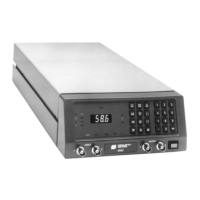
4.1 - Front Panel Description
In local operation the Model 9002 can be completely operated from the front panel. Remote control requires the writ-
ing of programs using codes and commands that are described in Section 5. The panel indicators and controls can
be grouped into five categories:
Indicator LEDs 16 LEDs
Numeric keypad 0-9 plus associated keys
Function keys 10 keys
Input and Output connectors 1 input & 1 output per channel
Alphanumeric display 3-1/2 digits
4.2 - Indicator LEDs
Table 4.1 gives the name and active function of the 16 LEDs on the front panel.
Table 4.1 Explanation of LED Indicators
4.3 - Function Keys
There are 10 function keys for programming and reviewing the setup of the Model 9002. These are used in the
process of setting up a channel in any of the eight programmable filter configurations, and in checking the status of
the filter during use.
Most keys are inactivated when the control of the system is transferred to a remote controller. Table 4.2 and the
discussion in the following section include the key functions and the situations in which they are active or inactive.
Indicator Label Model 9002 Active Function
SNG Configured for single-ended Input
DIF Configured for differential Input
AC AC Input/Output Coupling
DC DC Input/Output Coupling
BYP Filter Bypass mode is selected
MEM Displays present filter config.#
REM Remote control operation is selected
CH1 Channel 1 selected for display
CH2 Channel 2 selected for display
PRE Pre-filter gain is displayed
POST Post-filter gain is displayed
KHZ Frequency is displayed, kHz Scale
HZ Frequency is displayed, Hz Scale
GAIN Value of Pre- or Post-gain is displayed
CLIP 1 Channel 1 input is being clipped
CLIP 2 Channel 2 input is being clipped


 To Next Page