25 Locust St, Haverhill, Massachusetts 01830 • Tel: 800/252-7074, 978/374-0761 • FAX: 978/521-1839
e-mail: sales@freqdev.com • Web Address: http://www.freqdev.com
Section 4
14
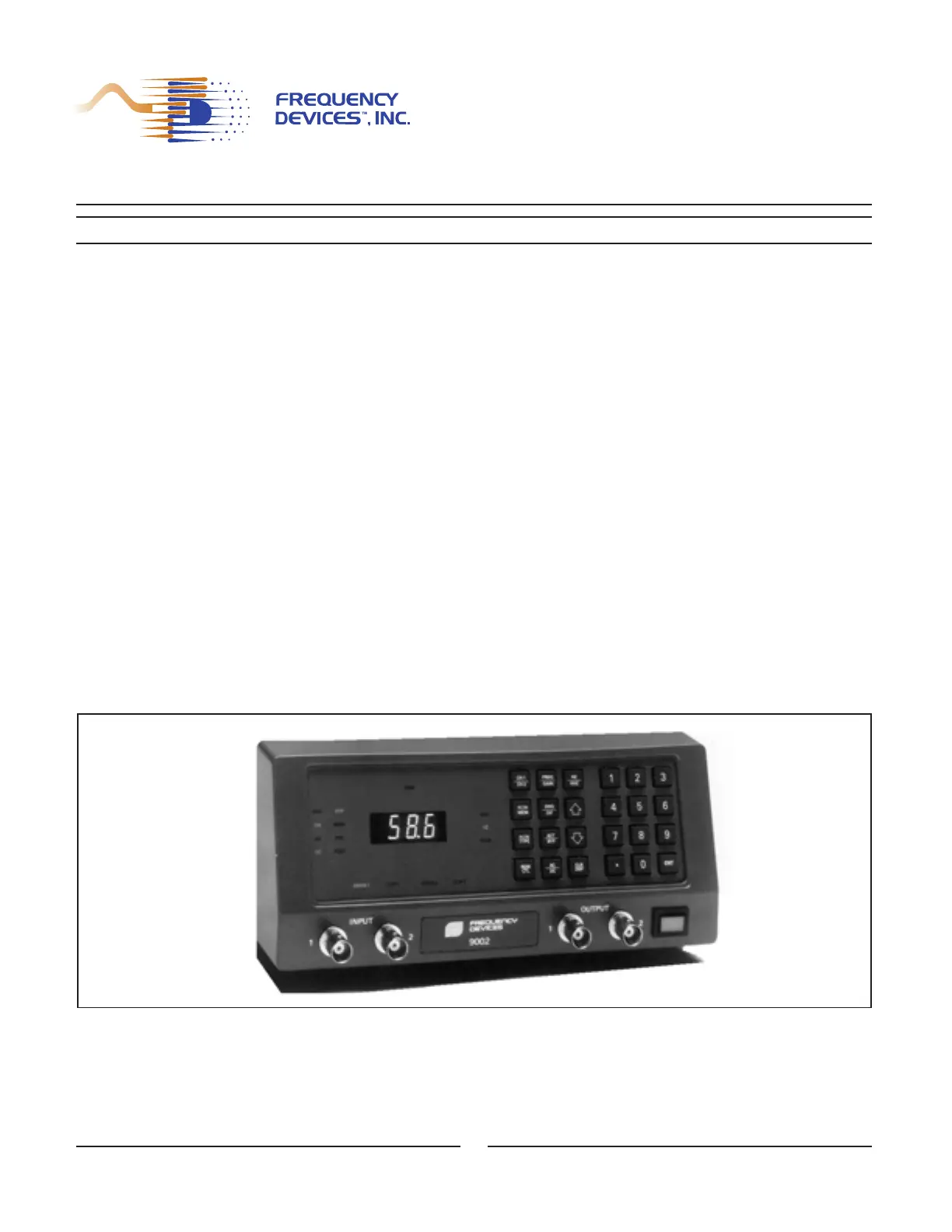
Table 4.2 Explanation of Function Keys
The numerical keypad and the function keys ENT, ⇑, and ⇓, allow control of frequency, gain, filter configuration
number, and remote IEEE address. The following are detailed instructions for using the functions keys and corre-
sponding LEDs. Refer to Figure 4.1 for front panel location.
4.3.1 - Details of the function keys
Selection of particular function keys or selection of remote control from the controller (REM CTL) will deactivate
certain keys. In the following description, the function key labels are shown in boxes on the left; the bracketed keys
on the right are the active or inactive keys.
Figure 4.1 Front Panel
Model 9002
Operation from the Front Panel
Key Label Affect on Model 9002 Operation
CH1/CH2 Toggle: Programming and display between
Ch. 1 & Ch. 2
FLTR MEM Selects Filter Number (0-7) in both channels
FLTR TYPE Display Filter Type for the active channel
REM CTL Toggle: Remote or Local control
FREQ/GAIN 3-position Toggle: Freq., Pre-gain, or Post-gain
SNG/DIF Toggle: Single-ended or Differential input
ACT/BYP Toggle: Filter in-circuit or Bypassed
AC/DC Toggle AC or DC I/O Coupling
HZ/KHZ Toggle: HZ or KHZ for frequency multiplier
for programming and display
CLR DSP Clears the LED Display


 To Next Page