S90-010 CS (APR 08) FRICK
QUANTUM™ COMPRESSOR CONTROL PANEL
Page 28 COMMUNICATIONS SETUP
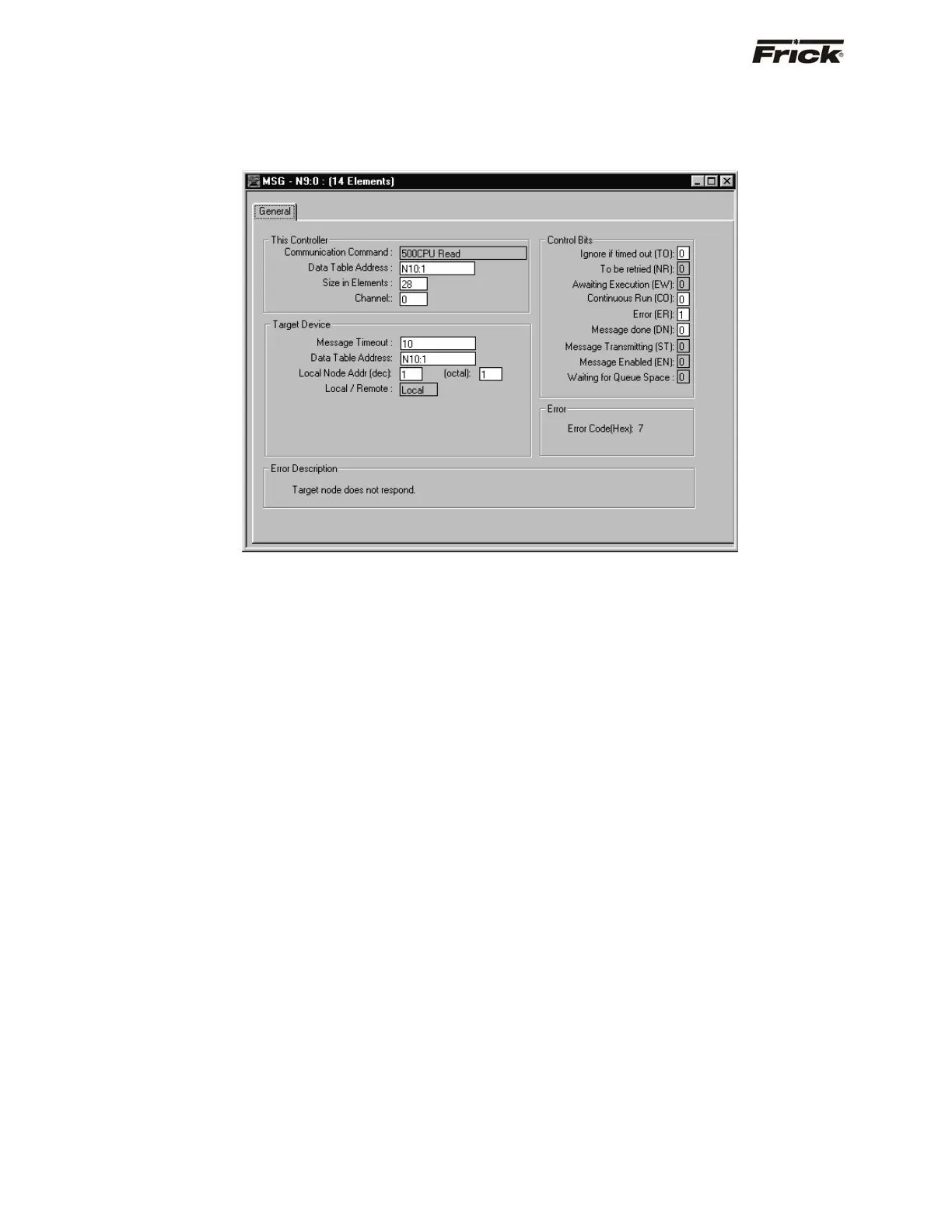
Message Read Setup Screen
The following setup screen is programmed to obtain 28
consecutive data files from the Quantum™ (ID#1) N10:1
register and place them into the SLC500’s N10:1 through
N10:28 register.
• This Controller: SLC500
• Data Table Address: Data file location in the
SLC500
• Size in Elements: # of data file to read
• Channel: Port location on the SLC processor
(Channel 0 is the RS-232 port)
• Target Device: Quantum™ Panel
• Data Table Address: Data file location in the
Quantum™ controller.
• Local Node: Quantum™ ID# (Octal)



 To Next Page