Instructions and Help
Instructions and Help
Use the comprehensive customer documentation to connect, configure,
and operate your FRITZ!Box.
The latest information on products, important developments, and up-
dates is presented on social media.
After a FRITZ!OS update, download the latest manual from
en.avm.de/service/manuals.
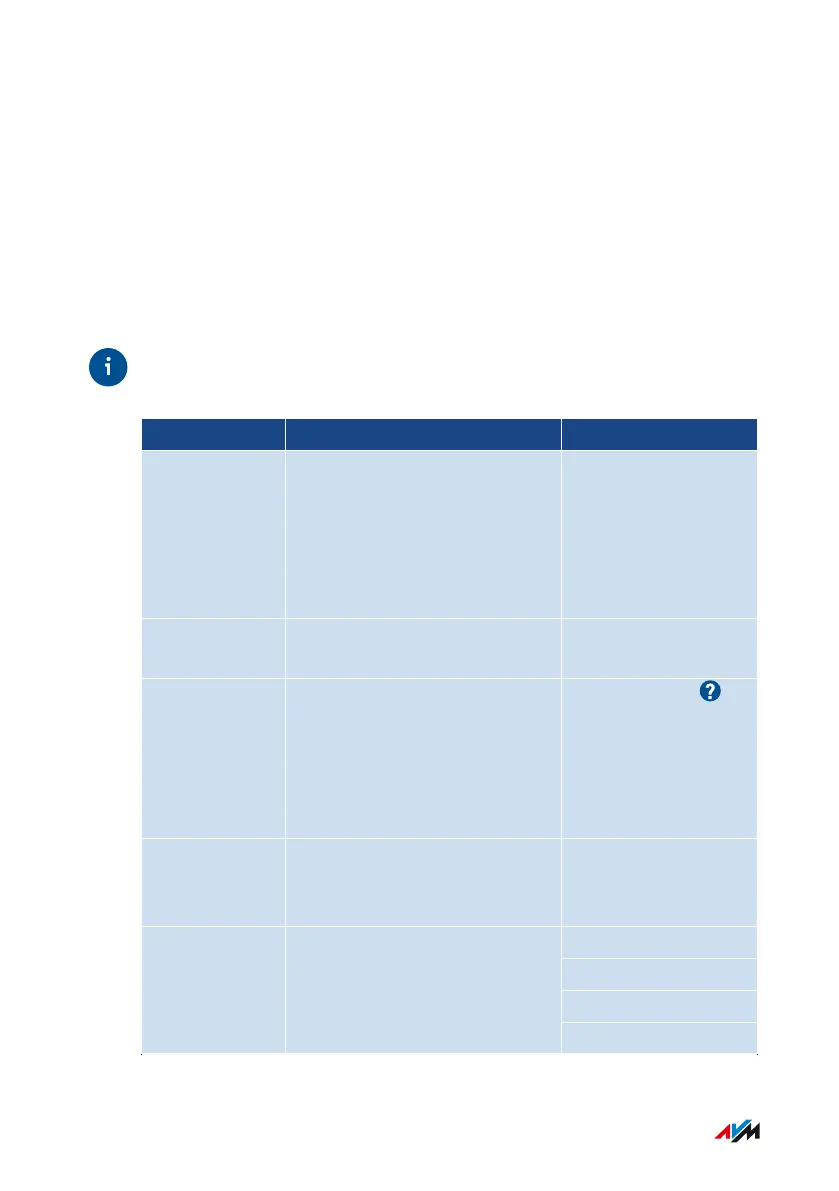
Medium Contents Location
Manual • Status FRITZ!OS version
• Connecting, configuration,
and operation
• Range of functions of your
FRITZ!Box
en.avm.de/service/
manuals
Quick guide Connecting and configuration Provided in print with
your FRITZ!Box
Online help • Instructions on configura-
tion and operation
• Help on the functions and
settings options in the user
interface
http://fritz.box/
Knowledge
Base
Solutions for common prob-
lems during connection, con-
figuration, and operation
en.avm.de/service
Facebook
Instagram
Twitter
Social media The latest about the FRITZ!Box,
your FRITZ!Box home net-
work, and your FRITZ! device
YouTube
FRITZ!Box4040 11
General Information on the FRITZ!Box
• • • • • • • • • • • • • • • • • • • • • • • • • • • • • • • • • • • • • • • • • • • • • • • • • • • • • • • • • • • • • • • • • • • • • • • • • • • • • • • • • • • • • • • • • • • • • • • • • • • • • • • •
• • • • • • • • • • • • • • • • • • • • • • • • • • • • • • • • • • • • • • • • • • • • • • • • • • • • • • • • • • • • • • • • • • • • • • • • • • • • • • • • • • • • • • • • • • • • • • • • • • • • • • • •



 To Next Page