Connecting to Electric Power
Overview
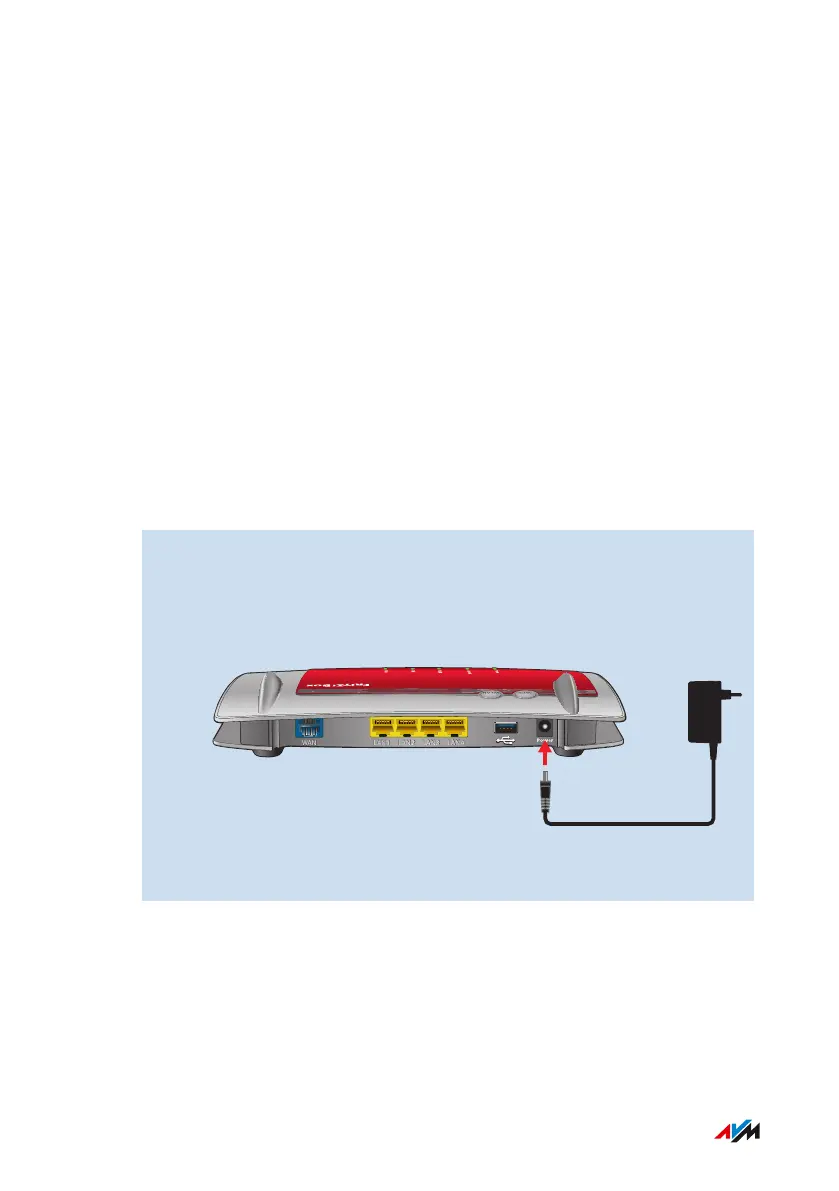
Connect the FRITZ!Box to the power supply.
Rules
• If possible, avoid using any power strips or extension cords.
• If it is not possible to avoid using socket strips and extension cords,
then do not connect multiple extension cords or socket strips to
each other.
• Use only the power adapter included with delivery.
Instructions: Plugging In to Electrical Power
1. Connect the power adapter to the socket on the FRITZ!Box la-
beled “Power”.
WAN
LAN
1 LAN
2 LAN
3 LAN
4
WLAN
WPS
2. Plug the other end into an electrical outlet.
FRITZ!Box4040 29
Connecting
• • • • • • • • • • • • • • • • • • • • • • • • • • • • • • • • • • • • • • • • • • • • • • • • • • • • • • • • • • • • • • • • • • • • • • • • • • • • • • • • • • • • • • • • • • • • • • • • • • • • • • • •
• • • • • • • • • • • • • • • • • • • • • • • • • • • • • • • • • • • • • • • • • • • • • • • • • • • • • • • • • • • • • • • • • • • • • • • • • • • • • • • • • • • • • • • • • • • • • • • • • • • • • • • •



 To Next Page