Connecting Computers and Other Devices Using a Network Cable
Overview
You can connect computers and other network devices with the
FRITZ!Box using a network cable. This is recommended especially for
the initial configuration of your FRITZ!Box. The way a computer is con-
nected is the same regardless of the computer’s operating system.
Rules
• The network cable used to connect a computer or another network
device to the FRITZ!Box may be no longer than 100m.
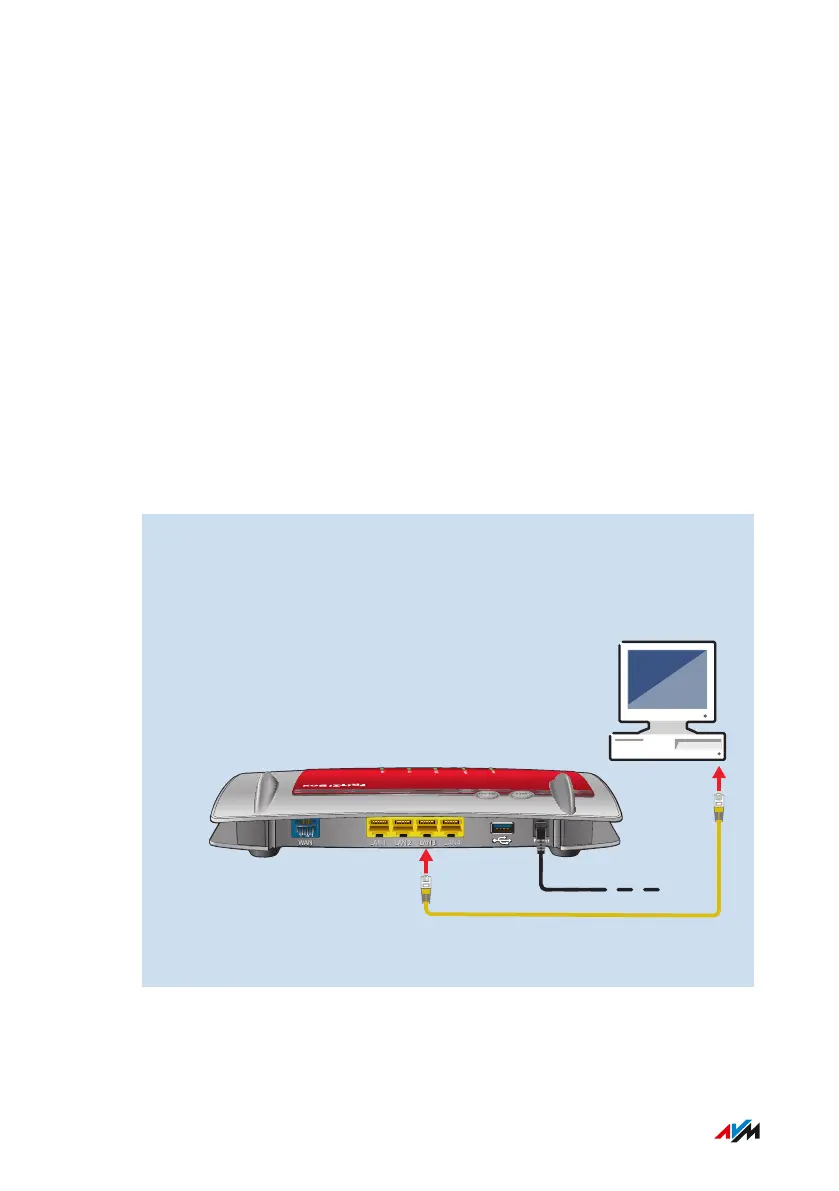
Instructions: Connecting a Computer Using a Network Cable
1. Insert the network cable into the LAN socket of the computer.
2. Insert the free end of the cable into a LAN socket on the
FRITZ!Box.
WAN
LAN
1 LAN
2 LAN
3 LAN
4
WLAN
WPS
FRITZ!Box4040 40
Connecting
• • • • • • • • • • • • • • • • • • • • • • • • • • • • • • • • • • • • • • • • • • • • • • • • • • • • • • • • • • • • • • • • • • • • • • • • • • • • • • • • • • • • • • • • • • • • • • • • • • • • • • • •
• • • • • • • • • • • • • • • • • • • • • • • • • • • • • • • • • • • • • • • • • • • • • • • • • • • • • • • • • • • • • • • • • • • • • • • • • • • • • • • • • • • • • • • • • • • • • • • • • • • • • • • •



 To Next Page