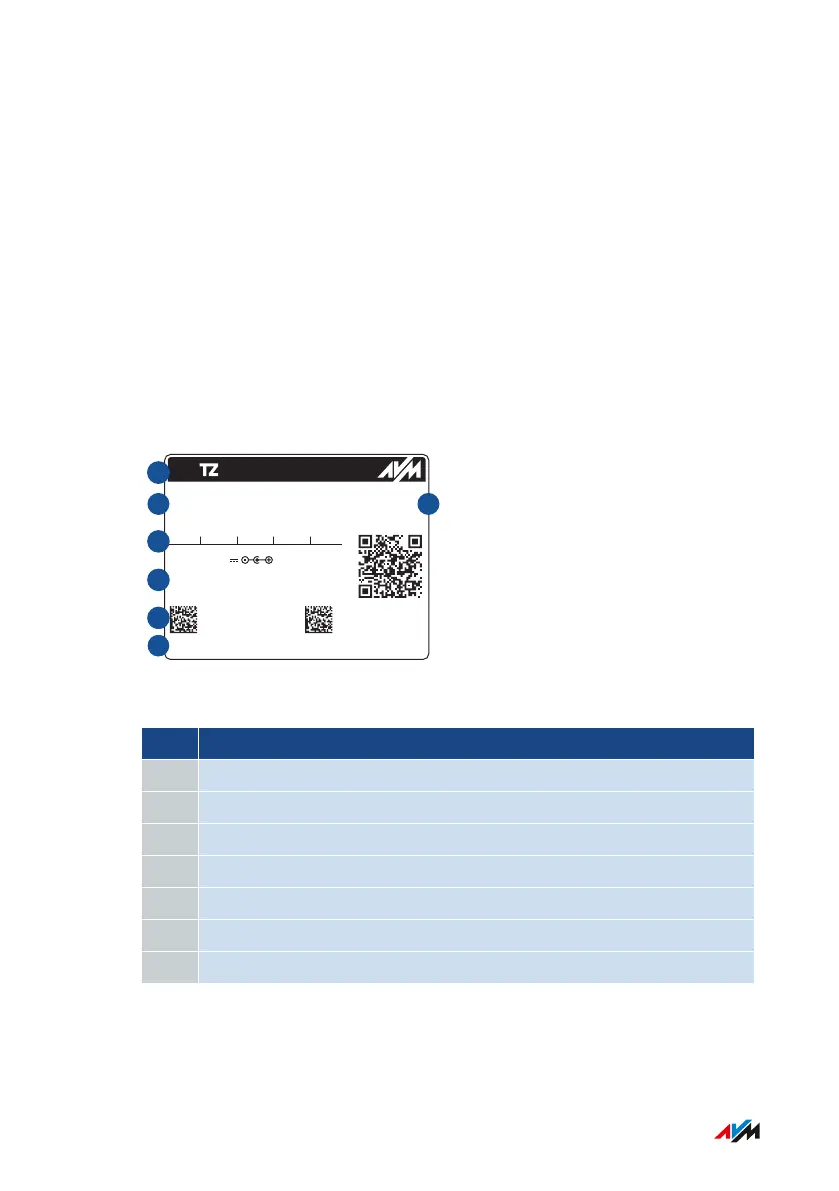
Device Data on the Type Label
Overview
Important device data on your FRITZ!Box are presented on the type la-
bel on the bottom of housing. There you find the preset network key for
Wi-Fi connections with the FRITZ!Box, the preconfigured FRITZ!Box
password for the user interface, the serial number for support queries,
and additional data.
Device Data on the Type Label
H515.123.45.678.901
00040E-123456789012
3779 8981 1562 8981 0123
afbecd1234
FRITZ!Box 4040 WW
Serial no. CWMP account
FRI !Box 4040
Wi-Fi password (WPA2)
Article no.: 2000 2767
Wi-Fi network(SSID)
FRITZ!Box password
AVM GmbH, 10547 Berlin
Wi-Fi access
Power units:
311P0W067 12V 1,4A
311P0W112 12V 1,4A
311P0W128 12V 1,5A
No. Meaning
1 Product name
2
3
Name of Wi-Fi network (SSID)
4
FRITZ
!Box password
5
Network
key (Wi-Fi password)
6
Power adapter
specification
7
Serial number
Article number
FRITZ!Box4040 17
Functions and Structure
• • • • • • • • • • • • • • • • • • • • • • • • • • • • • • • • • • • • • • • • • • • • • • • • • • • • • • • • • • • • • • • • • • • • • • • • • • • • • • • • • • • • • • • • • • • • • • • • • • • • • • • •
• • • • • • • • • • • • • • • • • • • • • • • • • • • • • • • • • • • • • • • • • • • • • • • • • • • • • • • • • • • • • • • • • • • • • • • • • • • • • • • • • • • • • • • • • • • • • • • • • • • • • • • •



 To Next Page