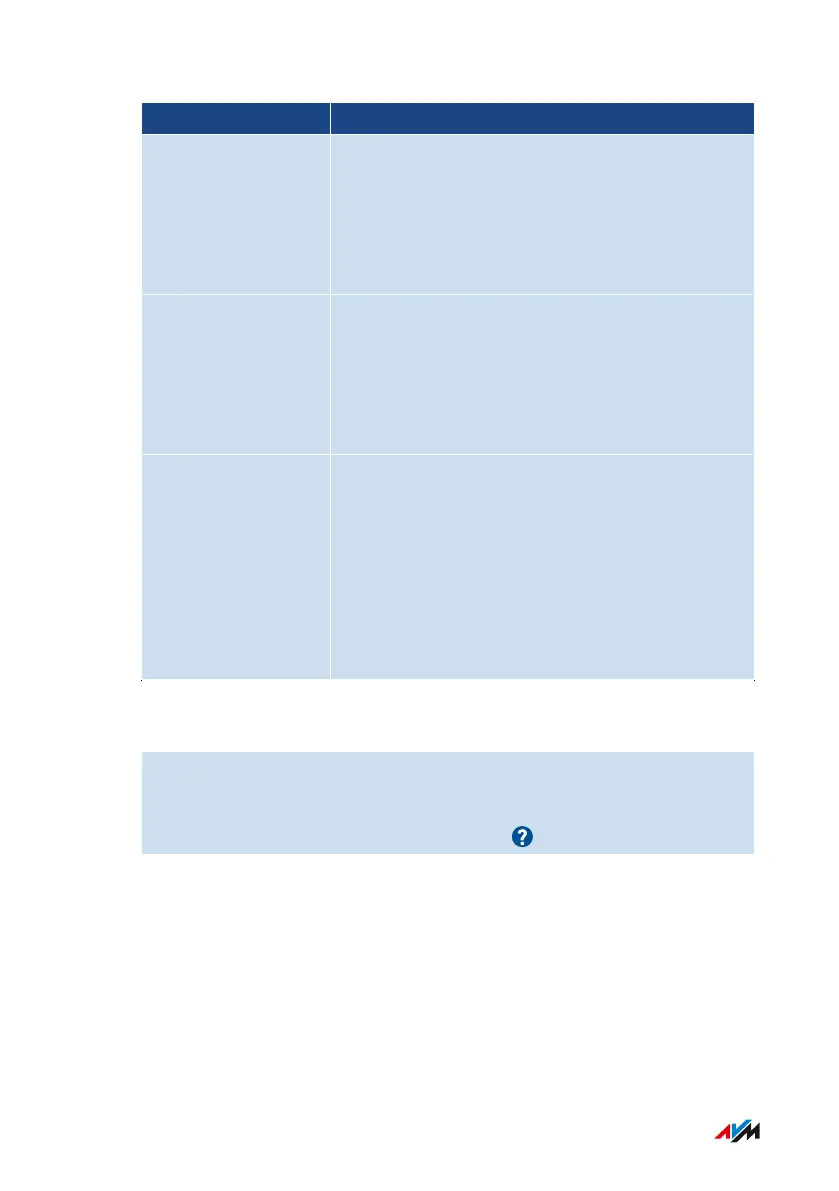
Number Range Checkpoint/Status
Wi-Fi • properties and security-relevant settings for
access to the Wi-Fi network and Wi-Fi guest
access
• names of registered and known wireless de-
vices
FRITZ!Box Users • all FRITZ!Box users and their rights to access
FRITZ!Box contents, for the FRITZ!Box home
network, and for access from the internet
• time of the last login to the FRITZ!Box and the
IP address used to do so
FRITZ!NAS Access rights to the FRITZ!Box storage media
with the following details:
• which user has access to which storage me-
dia
• which rights (write and read) are included
• whether access is permitted only via the
home network, or also from the internet
Instructions: Starting Security Diagnostics
1. Open the user interface; see page46.
2. Select “Diagnostics / Security”.
3. For instructions, open the online help .
FRITZ!Box4040 138
User Interface: Diagnostics Menu
• • • • • • • • • • • • • • • • • • • • • • • • • • • • • • • • • • • • • • • • • • • • • • • • • • • • • • • • • • • • • • • • • • • • • • • • • • • • • • • • • • • • • • • • • • • • • • • • • • • • • • • •
• • • • • • • • • • • • • • • • • • • • • • • • • • • • • • • • • • • • • • • • • • • • • • • • • • • • • • • • • • • • • • • • • • • • • • • • • • • • • • • • • • • • • • • • • • • • • • • • • • • • • • • •



 To Next Page