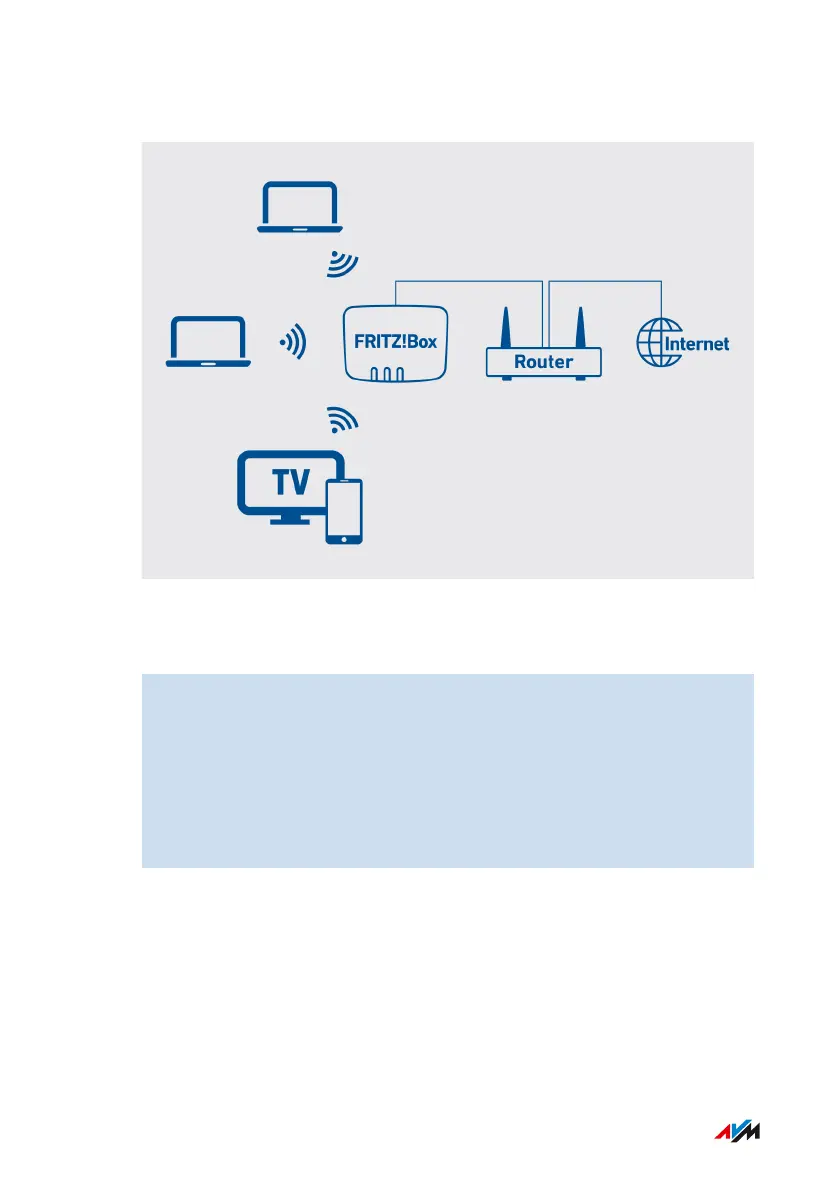
Example Configuration
Instructions: Connecting to the Router with a Network Cable
1. Insert one end of the network cable into the “WAN” port on the
FRITZ!Box.
If the FRITZ!Box is to be operated as an IP client, then configure
the “WAN” socket as a LAN port; see page112. Alternatively,
you can insert the network cable into one of the LAN sockets.
2. Insert the other end of the cable into the network socket on the
internet router.
FRITZ!Box4040 37
Connecting
• • • • • • • • • • • • • • • • • • • • • • • • • • • • • • • • • • • • • • • • • • • • • • • • • • • • • • • • • • • • • • • • • • • • • • • • • • • • • • • • • • • • • • • • • • • • • • • • • • • • • • • •
• • • • • • • • • • • • • • • • • • • • • • • • • • • • • • • • • • • • • • • • • • • • • • • • • • • • • • • • • • • • • • • • • • • • • • • • • • • • • • • • • • • • • • • • • • • • • • • • • • • • • • • •



 To Next Page