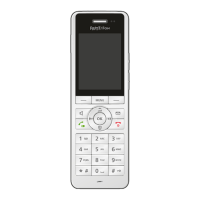
FRITZ!Fon MT-D 44
Picking Up a Call from the Answering Machine
FRITZ!Fon C5 44
3. Select “Delete / OK”.
The message will be deleted.
With the option “Delete all old” you can delete all messages that
have been listened to already.
8.7 Picking Up a Call from the Answering Machine
You can pick up calls that the answering machine has answered and
accept them on your FRITZ!Fon:
1. Press the Select key with the “Options” display.
2. Select “Answer / OK”.
8.8 Recording a Call
You can record calls and save them on an answering machine.
The call can be recorded only if all parties agree to recording.
1. You are conducting a call with one or more parties.
2. Press the Menu key .
3. Press the Select key with the “Yes” display.
4. Select the answering machine on which the call is to be record-
ed.
5. Press the Select key with the “Record” display.
During recording, the recording symbol flashes in the
display.
6. Press the Menu key to end recording. Confirm with “OK”.



 To Next Page
 Loading...