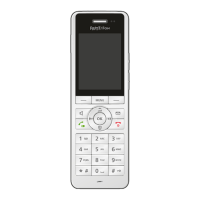
FRITZ!Fon C5 63
Settings in the FRITZ!Fon Menu
FRITZ!Fon MT-D 63
14.3 Settings in the FRITZ!Fon Menu
Audio Settings
The “Settings / Audio” menu contains the following settings:
• Volume: volume of the ring tone, the handset and the speaker
during hands-free calling
The volume of the handset and the speaker can be set during a
call; see Adjusting the Volume on page 27.
• Ring tone
• Signal tones: You can switch on and off the tones that signal a
key click, the arrival of new messages, and the handset exiting
the transmission range of the DECT base station. The “Signal
tones” option contains the warning signal when the battery is
low and the signal when the handset is placed in the charging
station.
• Configuring a headset: See Connecting a Headset on page 59.
Display Settings
The “Settings / Display” menu contains the following settings:
• Brightness: The brightness of the display
• Power save: You can enable a screen saver to save electricity.
• Start screen: See Configuring the Start Screen on page 60.



 To Next Page
 Loading...