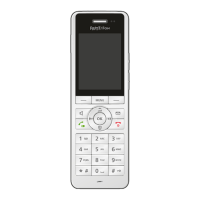
FRITZ!Fon MT-D 50
Configuring the Baby Monitor
FRITZ!Fon C5 50
11 Configuring the Baby Monitor
If your FRITZ!Fon is registered with a FRITZ!Box, you can configure the
FRITZ!Fon as a baby monitor.
FRITZ!Fon will then call a specified telephone number whenever the
ambient noise reaches a defined level.
1. Press the Menu key .
2. Select “Supplementary services / OK / Baby monitor / OK /
Destination no. / OK”.
3. Enter a telephone number and press “OK”.
or
Delete all of the numerals already entered. Press the Select
key with the display “Options” and select “Telephone
Book / OK”. Select a telephone book entry and press “OK”.
or
Delete all of the numerals already entered. Press the Select
key “Options” and select “Internal call / OK”. Select a
telephone and then press “OK”.
4. Select “Activation / OK”.
5. Press the Select key with the “Options” display, select a
sensitivity level, and press “OK”. The higher the sensitivity,
the less the ambient noise needed to trigger a call.
FRITZ!Fon is configured. “Baby monitor enabled” is shown on the dis-
play. Now you can place the FRITZ!Fon near the sleeping child.
To switch the baby monitor on or off, press and hold the clear call key
.



 To Next Page
 Loading...