Automated Test Sequences 121
5. Level the sound chamber, if necessary (see Section 5.1.1).
6. Plug the battery simulator into the jack near the battery voltage supply.
5.3.2 Running IEC
1. Press [START] from the IEC screen. The instrument will run a measurement
and then pause.
2. Turn the gain of the aid down to the reference test position. Match the target
value within 1 dB.
3. Press [START] to complete the test sequence.
4. Press [PRINT] to print test results.
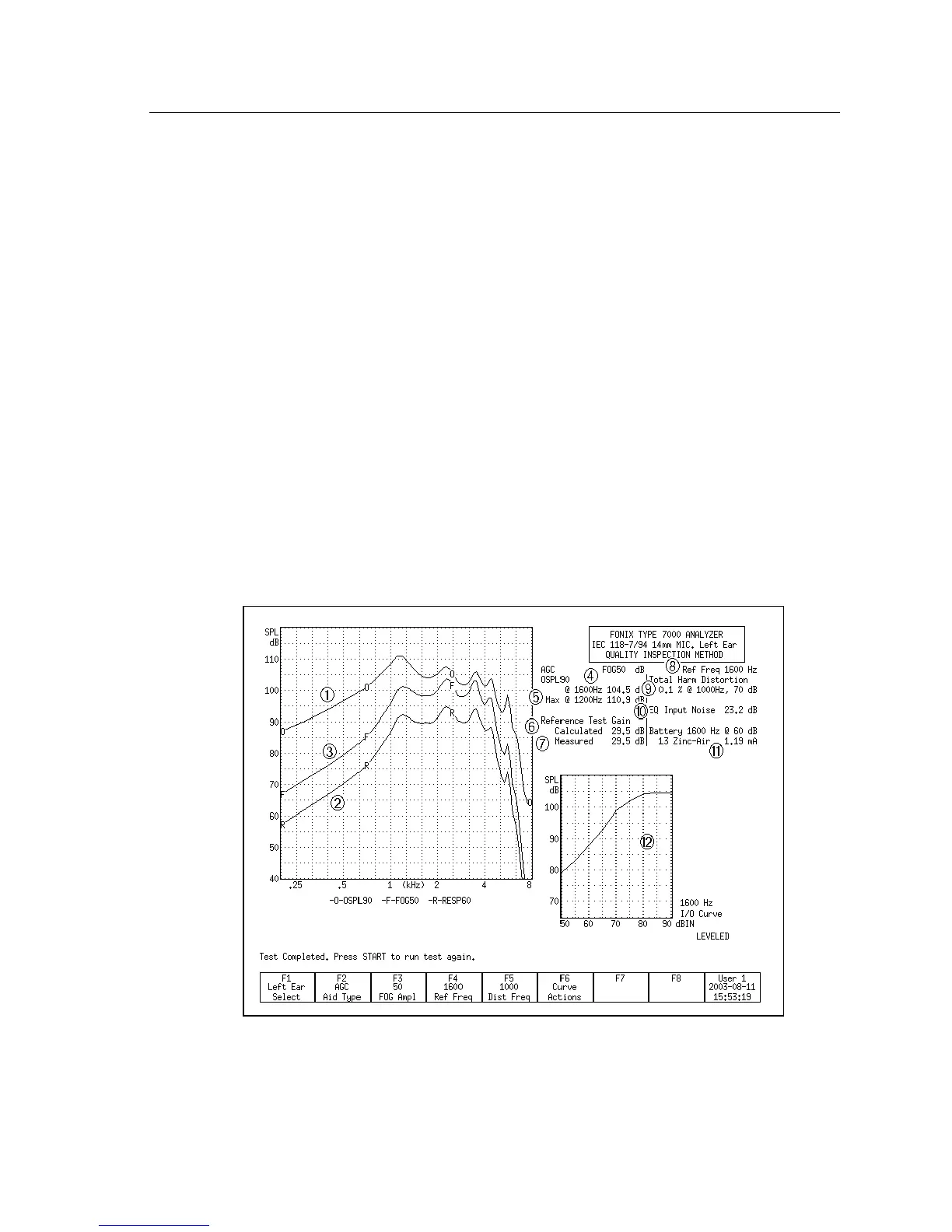
5.3.3 Viewing IEC Results
1. OSPL 90 response curve
2. RESP curve measured at reference test gain at 50 or 60 dB SPL
3. Full-on gain curve
4. Output of 90 dB at reference test frequency
5. Maximum output and its frequency
6. Reference test gain calculated (target)
Figure 5.3.3—IEC test results



 To Next Page