72 FONIX 7000 Hearing Aid Analyzer
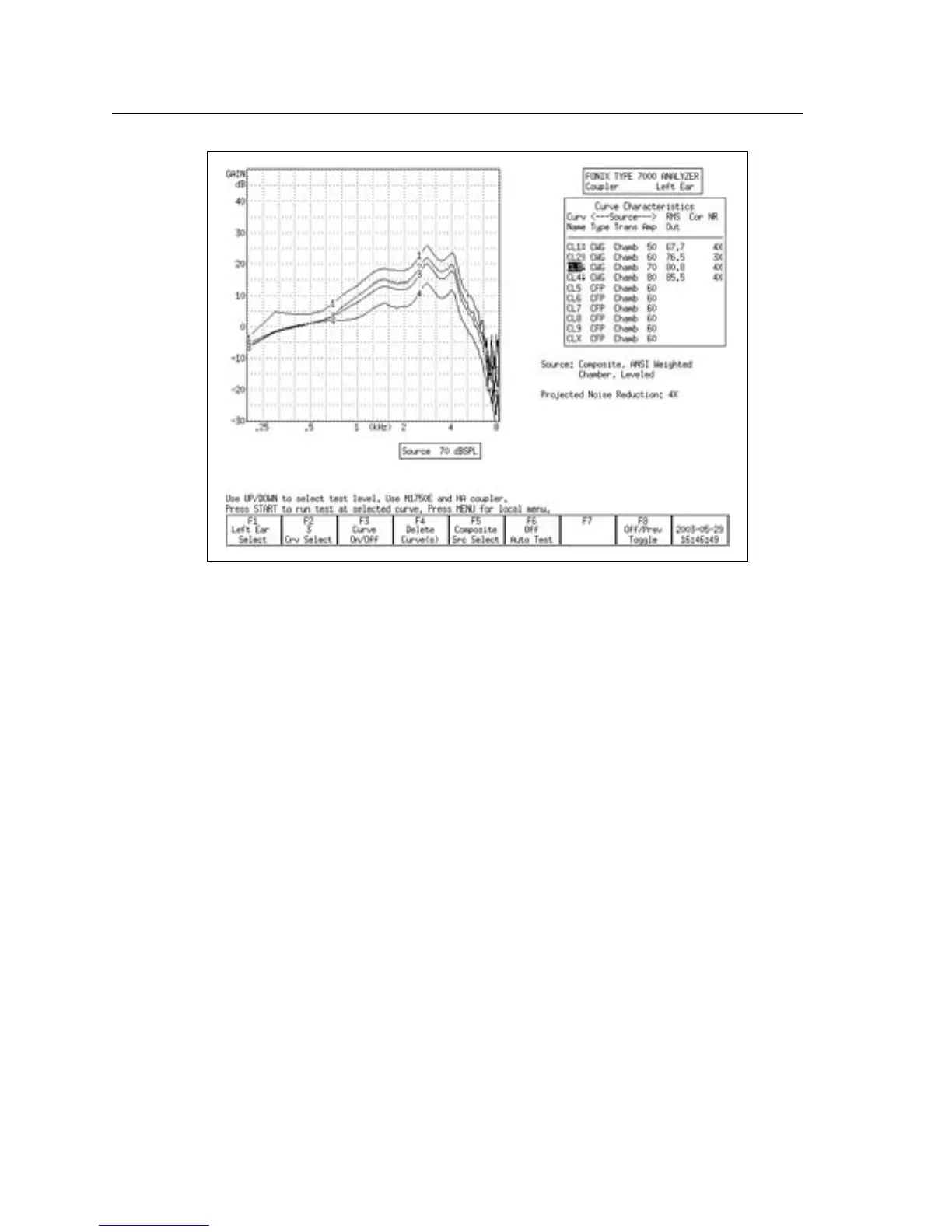
Figure 3.4.3B—Family of curves. Notice how the curves show less gain as the amplitude
increases. This aid shows a great deal of compression between 50 dB and 80 dB.
3.4.4 Deleting measurements and settings
Use the [F4] key to permanently delete measurement curves. When you press it,
there are four possible selections:
• Selected Curve: Delete only the selected curve, but keep the curve selec
-
tions (usually source type and level).
• Sel Curve & Settings: Delete selected curve and return curve to analyzer
default setting.
• All Curves: Delete all curves, but keep the curve selections.
• All Curves & Settings: Delete all curves and return them all to analyzer
default settings.
To delete a curve:
1. Press [F4].
2. Use [∨, ∧] to make the desired deletion type.
3. Press [>] to perform the deletion and close the pop-up menu.



 To Next Page