160 FONIX 7000 Hearing Aid Analyzer
5. Press [START] to measure the frequency response of the hearing aid. Press
[STOP] when the measurement has stabilized.
6. Use [F2] to select the REAR 3.
7. Use [F5] to select Composite.
8. Use [∨, ∧] to set the source amplitude to 65 dB SPL.
9. Press [START] to start the measurement. After the measurement has sta
-
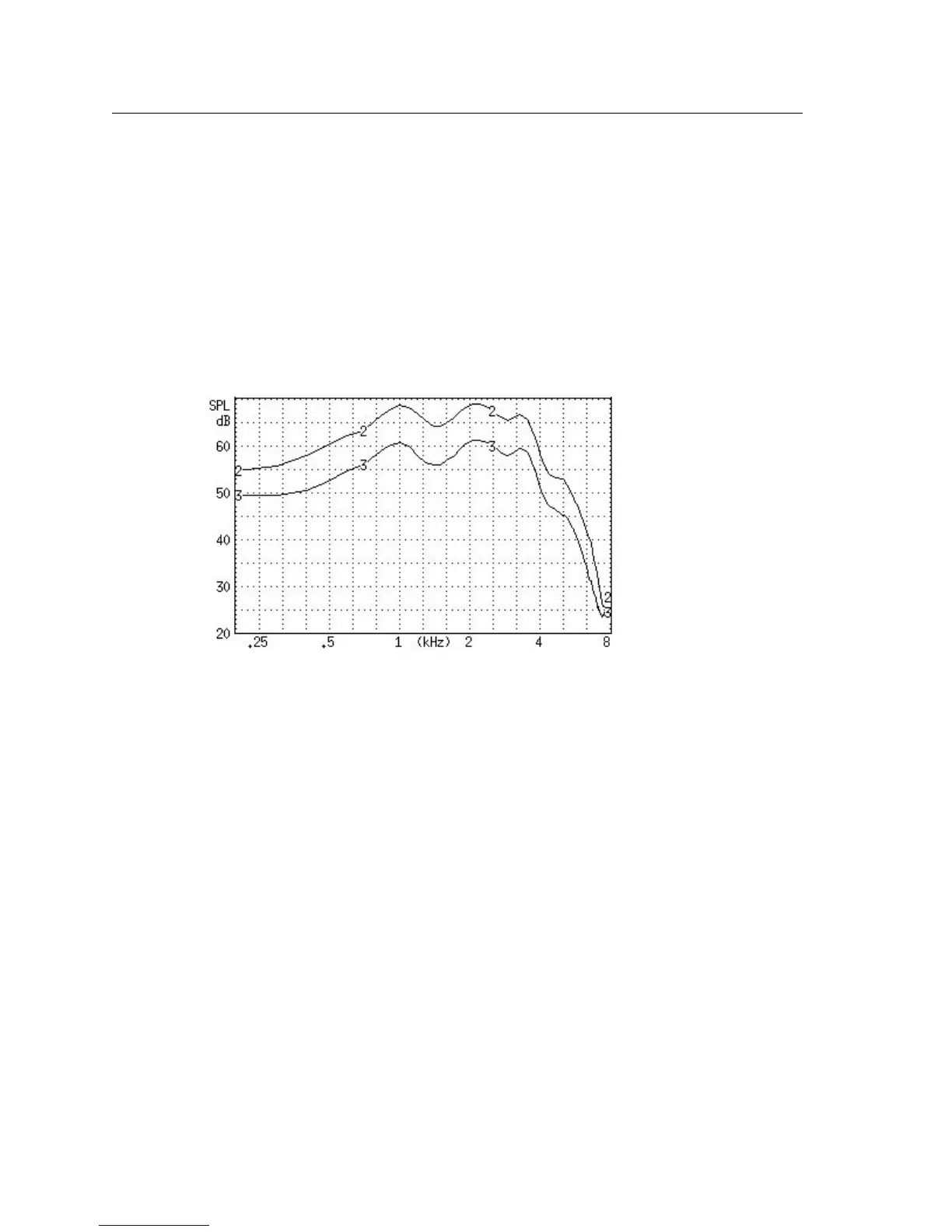
bilized, press [STOP] to stop the measurement. Figure 6.5.4 illustrates an
example of a digital hearing aid with noise suppresion. Curve 2 shows the
response of the aid to the Digital Speech curve, and Curve 3 shows the
response of the aid to the Composite signal. .
Figure 6.5.4—Testing noise suppression of a digital hearing aid. REAR 2 was tested using
Digital Speech. REAR 3 was tested using the Composite Signal.
6.6 Directional Hearing Aids
The directional advantage provided by a hearing aid can be easily measured
with real-ear measurements. This section describes a method of measuring
directionality using the Real-ear Insertion Gain screen.
6.6.1 Using the insertion gain technique
The Real-ear Insertion Gain screen is ideal for performing real-ear measure-
ments of hearing aid directionality.
To test directionality:
1. Set up the patient for real-ear measurements by inserting the probe micro-
phone and hearing aid.
2. Place the sound field speaker behind the patient at 180° or 135° azimuth.
Point the reference microphone of the probe microphone set towards the
sound field speaker.
3. Enter the Real-ear Insertion Gain screen.



 To Next Page