136 FONIX 7000 Hearing Aid Analyzer
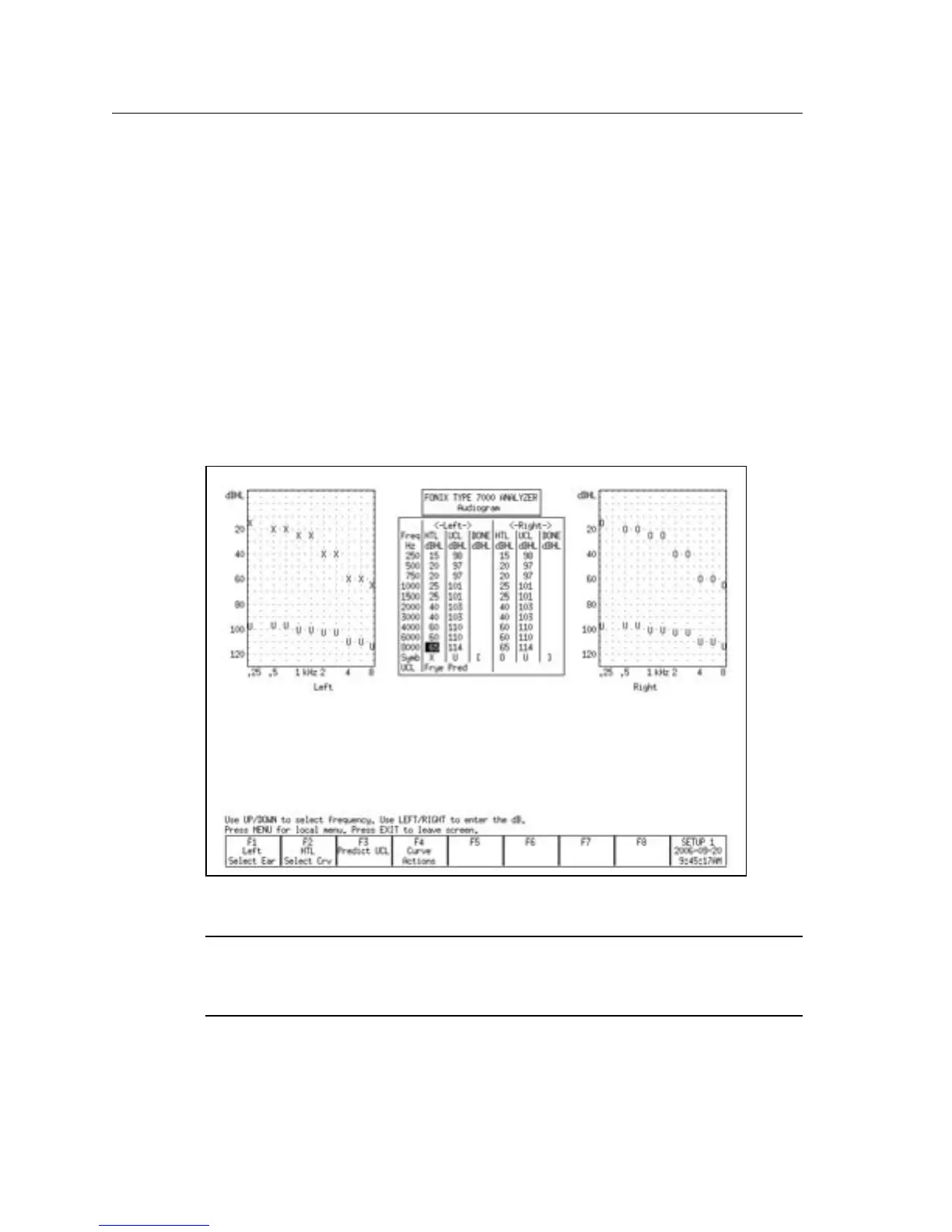
4. Make sure HTL is selected above F2. You should see a cursor in the HTL
column for the selected ear in the middle of the display. If the cursor is in a
different column, press [F2] to select HTL.
5. Use the arrow keys to input the client’s HTL (hearing threshold level) val
-
ues. Use [<, >] to input the amplitude. Use [∨, ∧] to select the frequency.
6. Use [F5] to select the client’s age. (Press [F5]. Use [∨, ∧] to make the selec
-
tion. Press [>] to complete the selection and close the pop-up window.)
7. Press [F2] to select UCL if you would like to input your client’s measured
uncomfortable levels. Press [F3] if you would like to predict the UCL values.
(Pascoe [1988] is used for calculating UCL values.)
8. Press [F4] and select COPY EAR with [∨, ∧] if you would like to copy the
data from the selected ear into the other ear. Press [>] to make the selection.
This is useful if your client has a similar loss in both ears.
Figure 6.3.1—Audiogram Entry screen
To specify the transducer used to take the audiometric measurements,
press [MENU] and use the arrow keys to specify the Aud. Transducer under
Targets.



 To Next Page