140 FONIX 7000 Hearing Aid Analyzer
5. Press [F1] from the Real-Ear Navigation screen to enter the Audiogram Entry
screen.
6. Press [MENU] from the Audiogram Entry screen to enter the local menu.
7. Use [∨, ∧] to select RECD Mode under Misc, and use [<, >] to choose
Custom Measured.
8. Use [∨, ∧] to select RECD Transducer and use [<, >] to choose ER3.
Probe mic
Probe mic
ER3
INSER
T
EARPHONE
Foam plug or
custom earmold
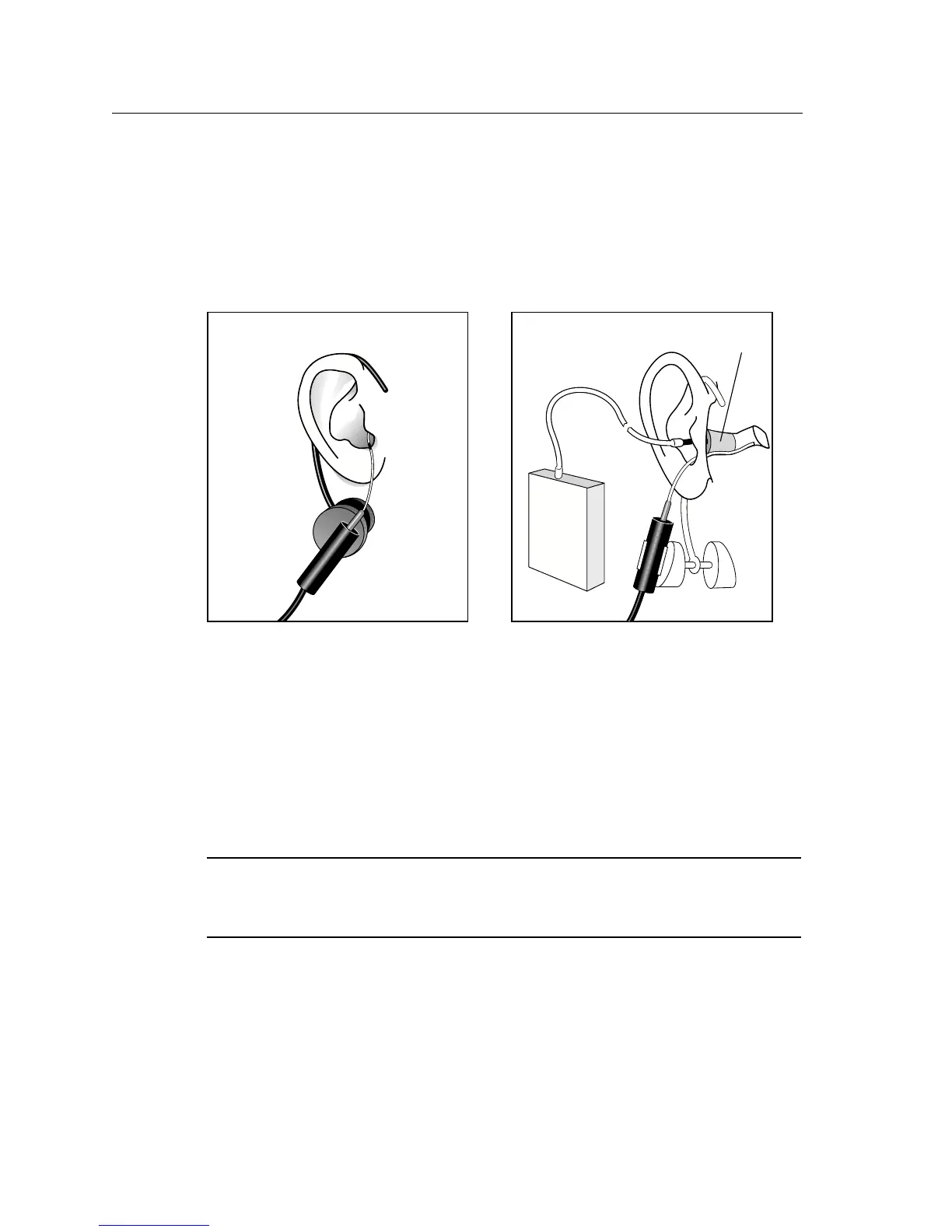
Figure 6.3.5C—Insert probe microphone Figure 6.3.5D—Insert foam eartip connected
to insert microphone.
9. Press [EXIT] to close the menu.
10. Use [F2] in the Audiogram Entry screen to select RECD. You may have to
push the button several times.
11. Press [START] to take the measurement. The results will appear in both
graphical and numeric format. See Figure 6.3.5.E
If you have previously taken an RECD measurement, you can input it (with
-
out measuring it) by selecting RECD with [F2] and using the arrow keys as
you would to input HTL values.



 To Next Page