Real-Ear Measurements 153
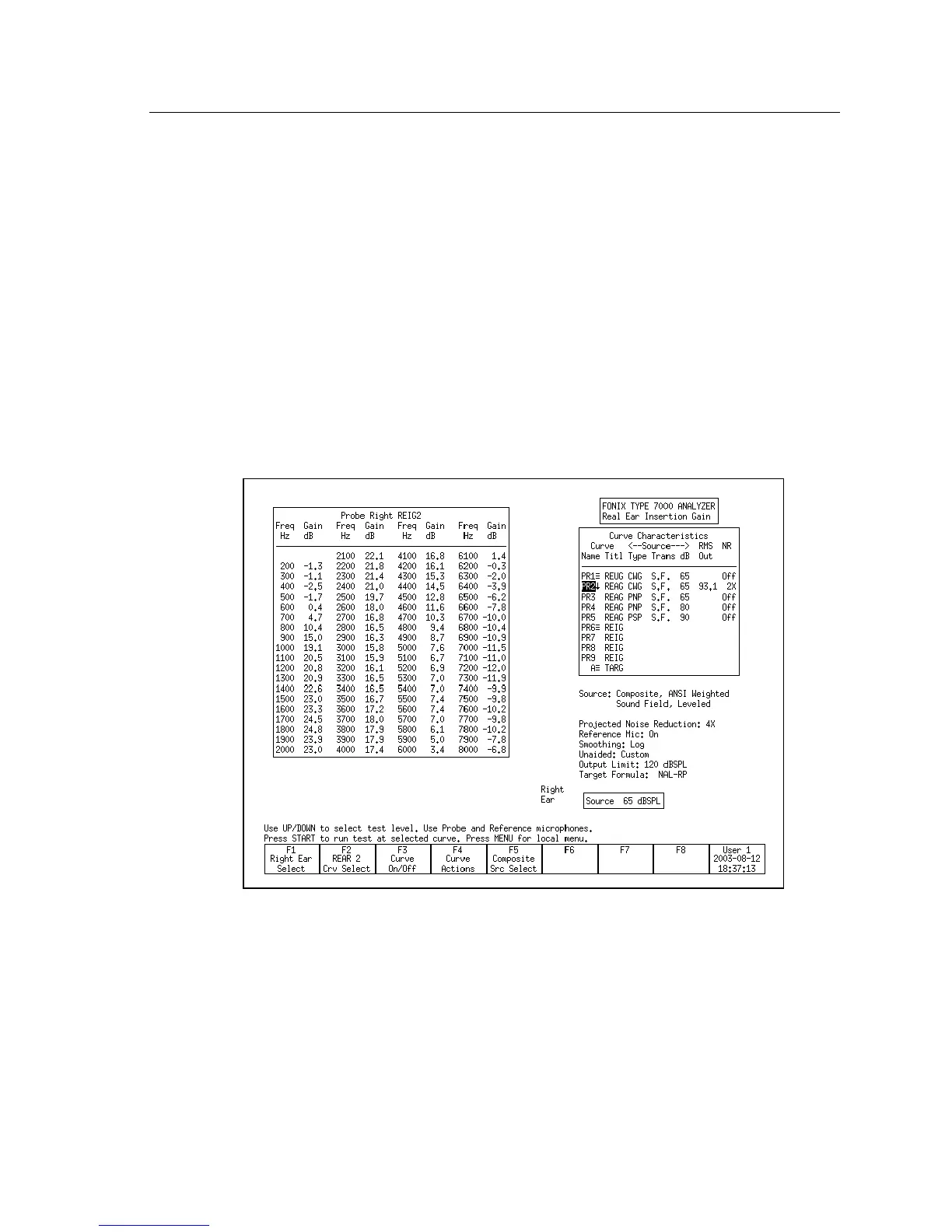
To view curve data in the Real-ear Insertion Gain screen:
1. Enter the Real-ear Insertion Gain:
2. Press [MENU] to enter the local menu.
3. Select Data/Graph under Display using [∨, ∧
].
4. Use [<, >] to choose:
• AIDED DATA: To view selected aided curve.
• IG DATA: To view selected insertion gain curve.
• GRAPH: To view in standard graphical (non-numeric) format.
5. Press [EXIT] to return to the Insertion Gain screen. Instead of the measure
-
ment graphs, you will now see tables of numerical data. See Figure 6.4.9.
6. Use [F2] to select the curve you want to view. Depending upon your selec
-
tion in Step 3, you will either see the insertion gain or the aided gain
results.
Figure 6.4.9—Insertion Gain data format display
To view curve data in the Real-ear SPL screen:
1. Enter the Real-ear SPL screen:
2. Press [MENU] to enter the local menu.
3. Select Data/Graph under Display using [∨, ∧
].



 To Next Page