Real-Ear Measurements 155
• From 3000 Hz–8000 Hz, measured data points from seven consecutive
frequencies 100 Hz apart are averaged to get the curve point at the center
frequency.
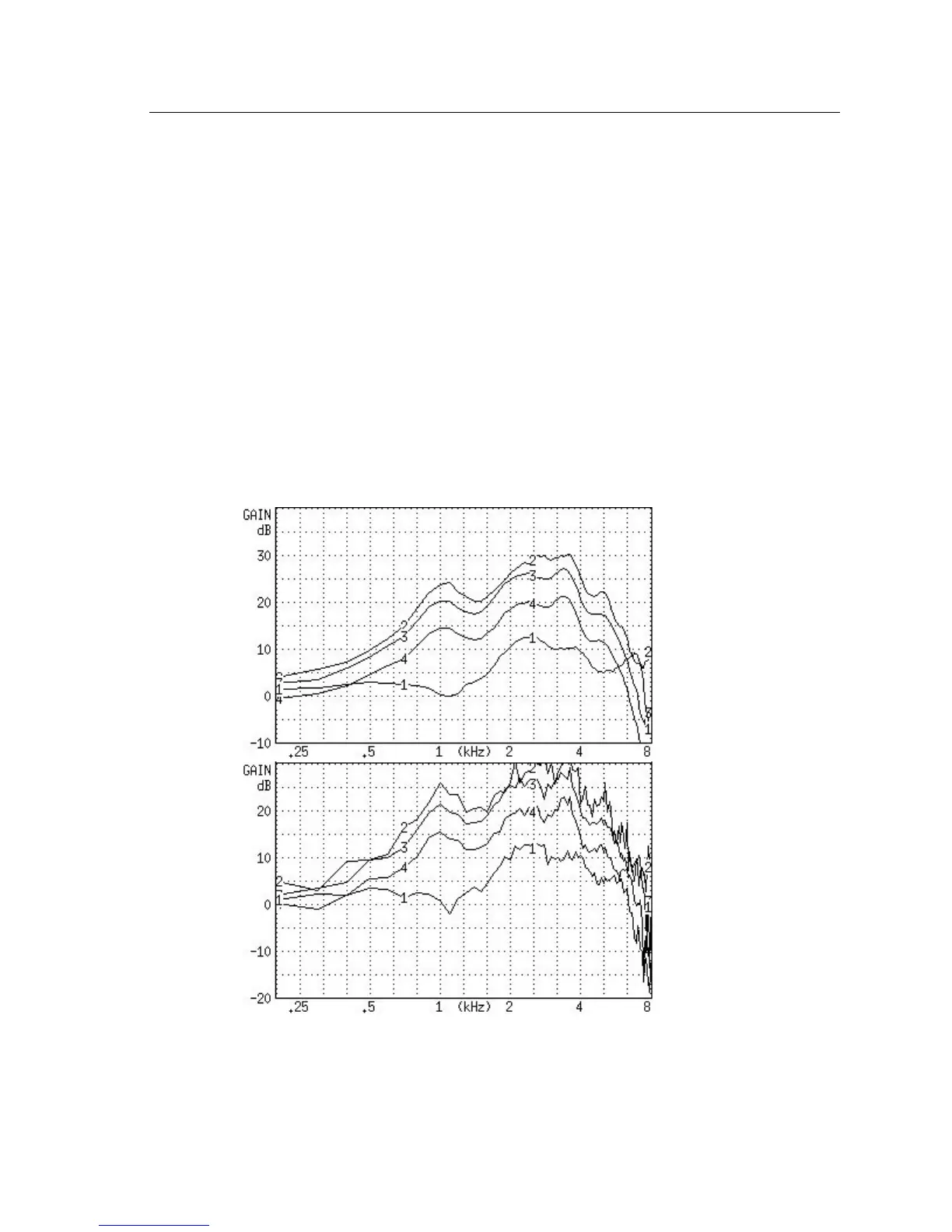
In normal pure-tone log smoothing:
• Each center frequency is smoothed by averaging it together with the out
-
puts from the next upper and lower 12th octave frequency.
To turn on/off log smoothing:
1. Enter the measurement screen.
1. Press [MENU] to enter the local menu.
2. Use [∨, ∧] to select Smoothing under Display.
3. Use [<, >] to choose LOG or OFF.
4. Press [EXIT] to return to the measurement screen. All measurements will
have the chosen smoothing status.
Figure 6.4.11—A comparison of a smoothed (top) and unsmoothed (bottom) curve.



 To Next Page