© 2023 Flanders Scientic, Inc.
37
Return to Table of Contents
Color Management Menu - Mesopic Optimization
Mesopic Optimization
Select between DISABLE and ENABLE. When Mesopic Optimization is disabled the AutoCal LUT generation engine will
prioritize low dE values during LUT creation. Using traditional evaluation methods you will obtain the best overall measured
results, with the lowest dE values, when Mesopic Optimization is set to DISABLE. However, enabling Mesopic Optimization
may provide a perceptually preferred result in dark saturated lowlights, especially on LCD monitors.
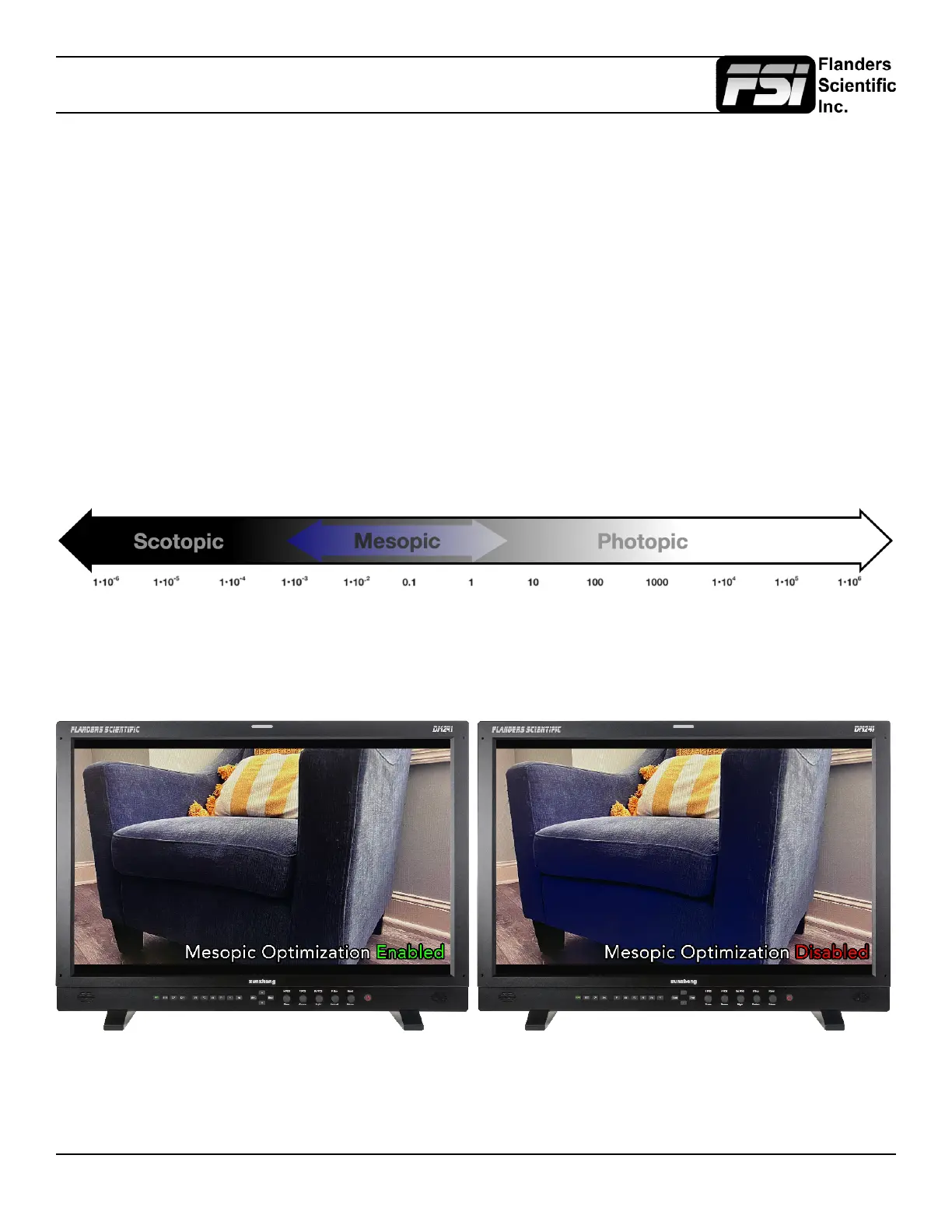
When Mesopic Optimization is set to ENABLE an accommodation for mesopic spectral sensitivity functions is added to the
AutoCal LUT generation algorithm and this can improve visual performance below photopic luminance ranges. Throughout
the majority of the monitor’s luminance range the ENABLE and DISABLE settings will be largely indiscernible and measure
the same, the primary differences will be visible with very dark, saturated colors and particularly shorter wavelength colors
(e.g. dark blues). When enabled these very dark saturated regions will tend to look more neutral with, in some scenarios,
easier to discern detail; when disabled these very dark saturated regions maybe be perceived as brighter or more colorful.
Though it may seem counterintuitive the difference between the ENABLE and DISABLE settings will actually be most
pronounced on the lowest contrast displays and least pronounced on the highest contrast displays (e.g. OLEDs).
Enabling or disabling the Mesopic Optimization toggle is completely non-destructive and does not require recalibration,
as with other Color Management menu selections LUTs will be calculated quickly on an as-needed basis from the stored
AutoCal proling data. The default setting on LCD models is ENABLE. The default setting on OLED models is DISABLE.
An example of how Mesopic Optimization enabled may look compared to disabled on an LCD monitor displaying dark
saturated blue content is shown below. Though disabled will measure with lower dE values, enabled may be perceptually
preferrential. Note that on OLED models the difference between enabled and disabled will be much less pronounced.



 To Next Page