© 2023 Flanders Scientic, Inc.
43
Return to Table of Contents
Automatic Volumetric Calibration
GaiaColor AutoCal
Automatic Volumetric Calibration provides a simple, fast, and accurate way to calibrate your FSI monitor. This automatic
calibration routine is currently compatible with the Colorimetry Research CR100, CR250, & CR300, the Klein Instru-
ments K80 & K10A, the Minolta CA310 & CA410, and the xRite i1D3DS OEM.
Before plugging your probe into your monitor you will want to ensure that the following prerequisites are met:
1. Verify your monitor is running rmware version 2.0.0-2370 or later and that the Luminance Mode selection is set to
Standard Mode on the Color Management Menu.
2. Ensure that your colorimeter has the correct matrix or matrices stored on it for the display or displays you
wish to measure. The name of the colorimeter matrix must match the model name of the monitor you wish to
calibrate. Valid matrix names are DM160, DM170, DM211, DM220, DM231, DM240, DM241, DM250, DM420, and DM550
3. On DM160, DM170, DM211, DM220, DM231, DM240, DM241, DM420, and DM550 disconnect all signal cables from
the monitor if possible. For DM250 please see the optimizing calibration for DM250 topic on the next page of this docu-
ment.
Automatic Calibration Steps
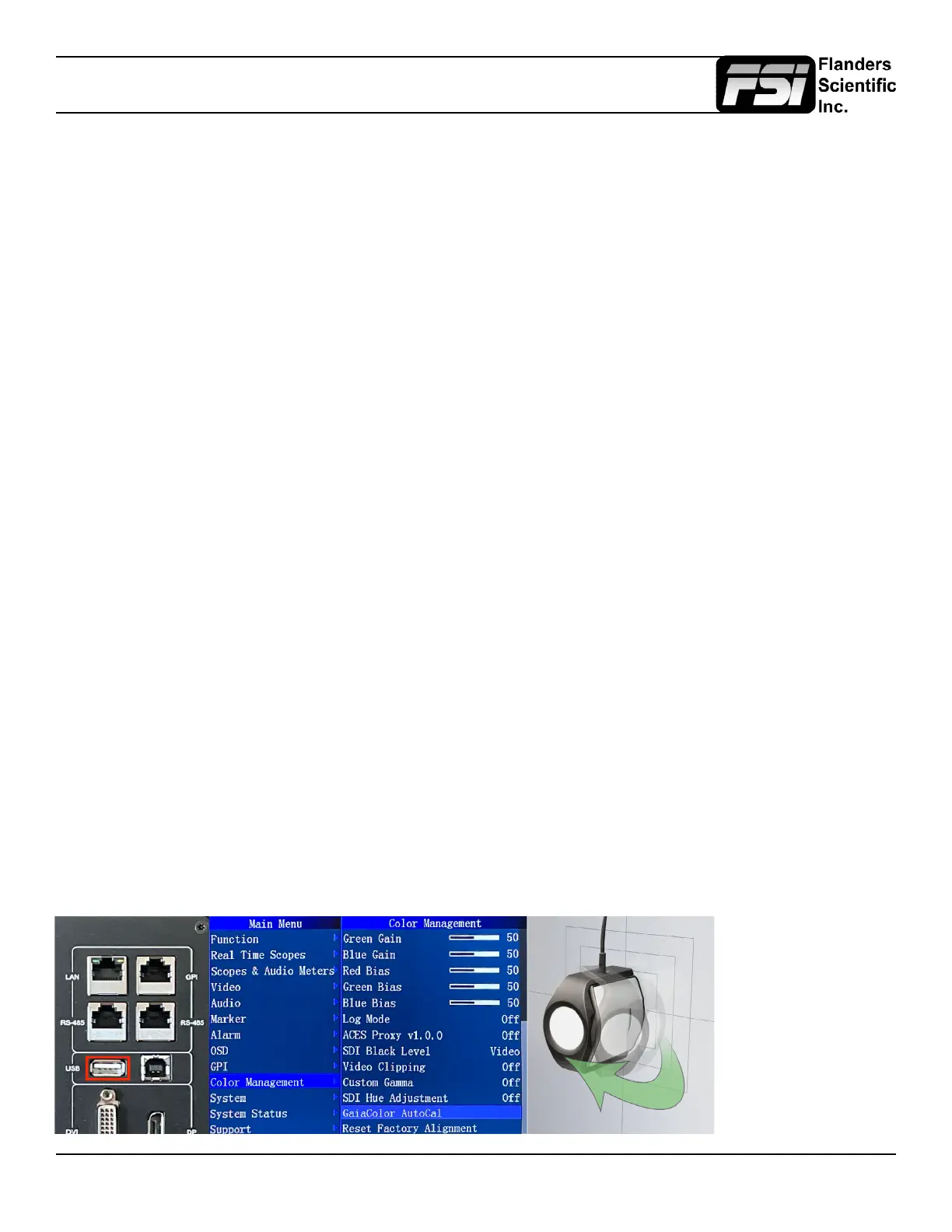
Step 1: With the monitor powered on plug the probe into the monitor’s USB Type A Port.
Step 2: From the Monitor’s Color Management Menu select GaiaColor AutoCalibration, conrm that you want
to start alignment, then select the probe you will use from the list of available options.
Step 3: Use the on-screen guides to position your probe correctly in the center of the screen.
Step 4: If your monitor is already warmed up you can Press Enter on the monitor at any time to start the
automatic calibration routine. If your monitor was not previously warmed up you can simply leave the probe
plugged into the monitor and the calibration routine will start automatically after one hour.
Step 5: The calibration will take approximately 6 to 18 minutes to complete depending on the probe / monitor
combination in use. Once the alignment data is saved you will be prompted to reboot the monitor to complete
the process.
Step 6: LUTs for any Gamut, EOTF, and Color Temperature combination will be automatically generated,
saved, and applied on demand the rst time you select them. This process takes approximately 10 seconds.*
*Once LUTs have been automatically generated and saved for any given conguration you will be able to switch to these
selections instantly in the future without having to wait 10 seconds for the LUTs to be created for that conguration. By au-
tomatically generating LUTs on demand only as needed no time is wasted calculating and saving LUTs for congurations
you will not use.
If using an i1D3 OEM
please make sure
to open the diffuser
covering the probe’s
lens before starting
calibration. The lens
should be pointing to-
wards the screen and
the white diffuser disk
should be pointing
away from the screen.



 To Next Page