© 2023 Flanders Scientic, Inc.
6
Return to Table of Contents
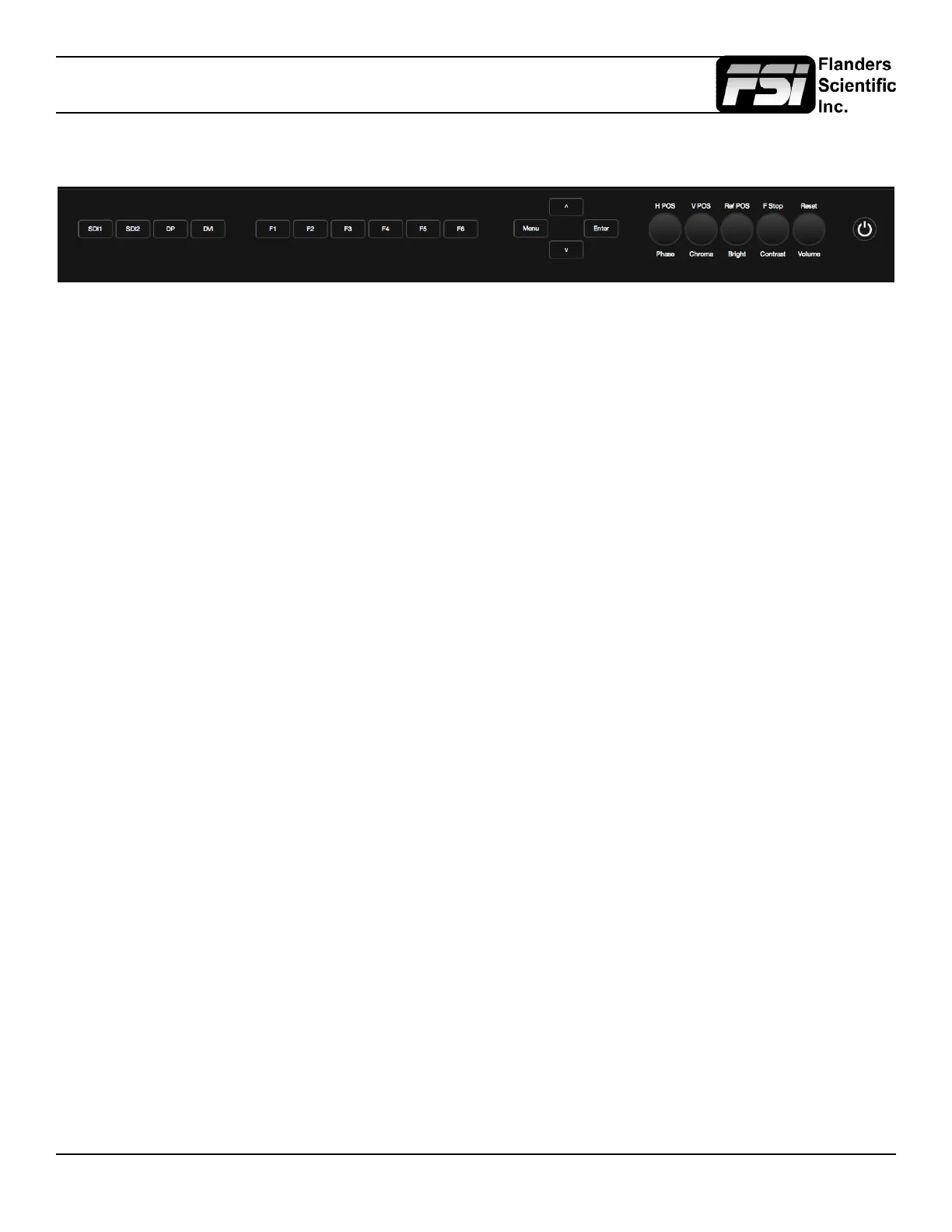
Parts & Their Functions
• SDI 1: Used to select SDI Input 1 as the active Input.
• SDI 2: Used to select SDI Input 2 as the active Input.
• DP: Used to select the Display Port Input as the active Input.
• DVI: Used to select the DVI-D Input as the active Input.
• F1: Assignable function key. This key’s function is selectable from the Function Menu.
• F2: Assignable function key. This key’s function is selectable from the Function Menu.
• F3: Assignable function key. This key’s function is selectable from the Function Menu.
• F4: Assignable function key. This key’s function is selectable from the Function Menu.
• F5: Assignable function key. This key’s function is selectable from the Function Menu.
• F6: Assignable function key. This key’s function is selectable from the Function Menu.
• MENU / LEFT: Used to toggle and navigate On Screen Menu.
• UP: Used to navigate On Screen Menu.
• DOWN: Used to navigate On Screen Menu.
• RIGHT / ENTER: Used to navigate On Screen Menu and to conrm selections within the On Screen Menu.
• PHASE / H POS: Used to adjust phase. Pressing down on the center of this button will return the setting to default. Hue
is locked by default on SDI, but can be unlocked by the SDI Hue Adjustment option on the System Menu.
• CHROMA / V POS: Used to adjust chroma higher or lower. Pressing down on the center of this button will return the
chroma setting to its default position.
• BRIGHT / Ref POS: Used to adjust brightness higher or lower. Pressing down on the center of this button will return
the brightness setting to its default position. The brightness knob should NOT be used increase the overall peak white
luminance of the unit, use the Luminance setting on the System Menu to adjust overall luminance.
• CONTRAST / F Stop: Used to adjust contrast higher or lower. Pressing down on the center of this button will return the
contrast setting to its default position.
• VOLUME: Used to adjust volume. Press down on this knob to instantly mute or unmute the volume.
• POWER: Used to turn power ON / OFF.
Keyboard



 To Next Page