© 2023 Flanders Scientic, Inc.
7
Return to Table of Contents
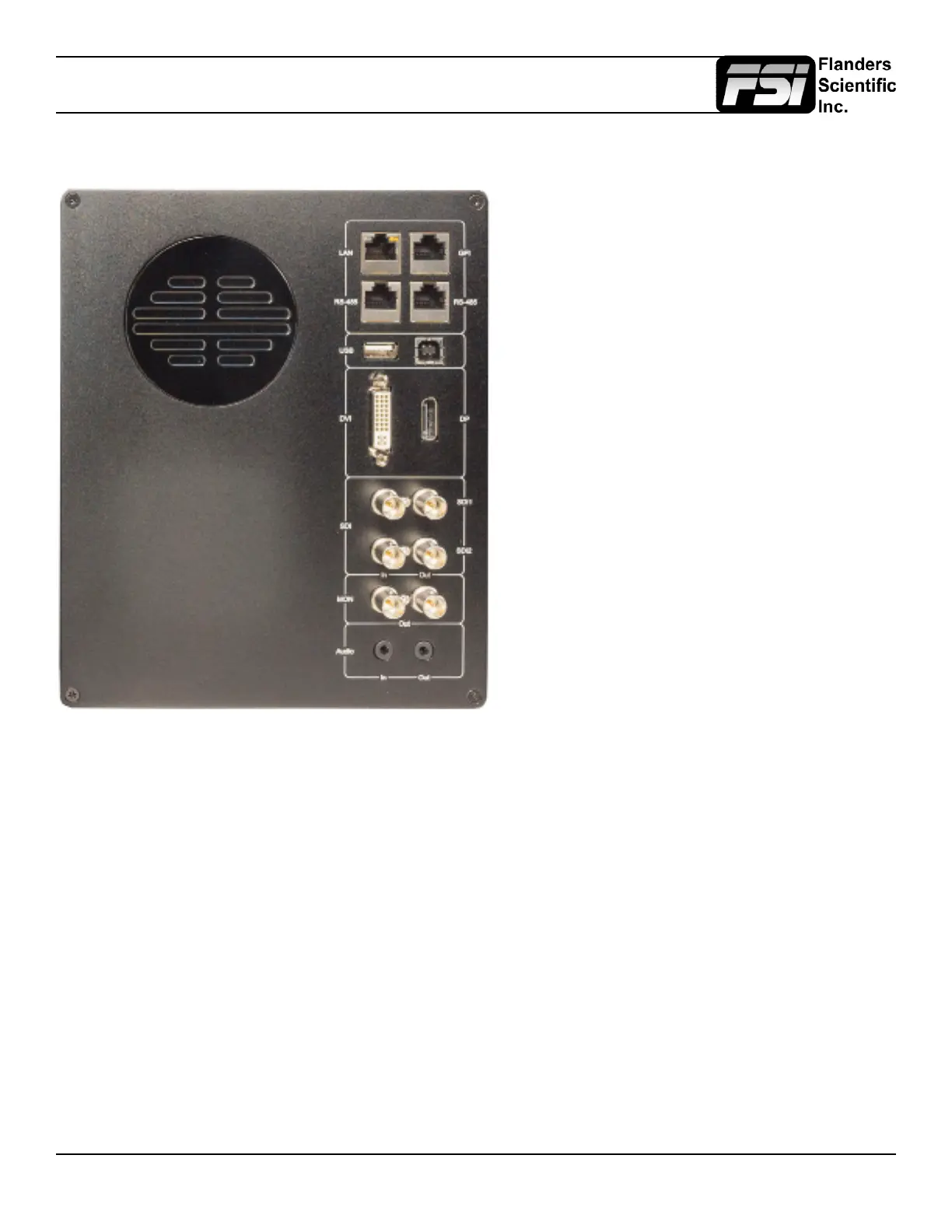
Parts & Their Functions
• LAN: IP Control via select programs including the FSI
IP Remote Utility and Pomfort’s LiveGrade Pro.
• GPI: General Purpose Interface for Contact Closure
Remote Control. Remote Control Functions can be
assigned from the GPI Menu.
• RS-485: RS-485 Ports (In/Out) for looping remote
control interface. Serial remote control protocol avail-
able upon request.
• USB Type A: USB host connection. Used for direct
connect automatic alignment with supported probes.
Can also be used to power MediaLight bias lights.
• USB Type B: USB device connection. Used to con-
nect monitor to computer for rmware updates. Can
also be used to load look or calibration LUTs to the
monitor’s memory from a computer.
• DVI: DVI-D Input.
• DP: Display Port Input.
• SDI In 1 & SDI In 2: Two Autosensing, Autoswitching,
Multi-Format 3G/HD/SD-SDI Inputs.
• SDI Out 1 & Out 2: Two looped 3G/HD/SD-SDI Out-
puts.
• MON Out: Processed output with Look/DIT LUT and/
or image ip applied if those functions are active.
Capable of cross-conversion of DisplayPort or DVI
inputs. Both MON Outs follow the actively selected
input.
• Audio In/Out: Analog Stereo Mini-phono Audio Input
& Output. Unbalanced, Audio Out delayed by exact
amount of monitor video processing time to maintain
sync.
Back Panel



 To Next Page