700-Bubbler-Man Rev 12 13 Feb 2020
Page 23/51
CONFIGURING WITH THE AXIOM DATALOGGER
7
The information in this chapter is specific to operating the Bubbler with an FTS Axiom Datalogger.
To operate the Bubbler with other data loggers, refer to their operator’s manuals. SDI-12
commands for the Bubbler are found in Chapter 5.
The Bubbler is designed to work with Axiom Dataloggers in that the Bubbler can be configured using
either the Datalogger or the Bubbler’s interface and changes made through one unit will be
registered in the other: there is no master – slave relationship as with other data loggers.
However, note that changes made on the Bubbler’s interface will not be reflected in the Datalogger’s
screens (and vice versa) until after the Datalogger has sent the SDI-12 command relating to the
specific variable. Prior to sending a measurement command, the Datalogger sends a configuration
query. If there was a change the configuration will be updated prior to the measurement command
being sent at which point the Datalogger will update its configuration.
IMPORTANT! Specific variables can be configured using the Bubbler’s user interface
or through the Axiom’s Bubbler sensor extension. The Bubbler and Datalogger will
retain the last input configuration regardless of which method is used.
The following variables can be set using either the Bubbler’s interface or through the data logger
•
• Stage units
•
•
• Averaging Duration
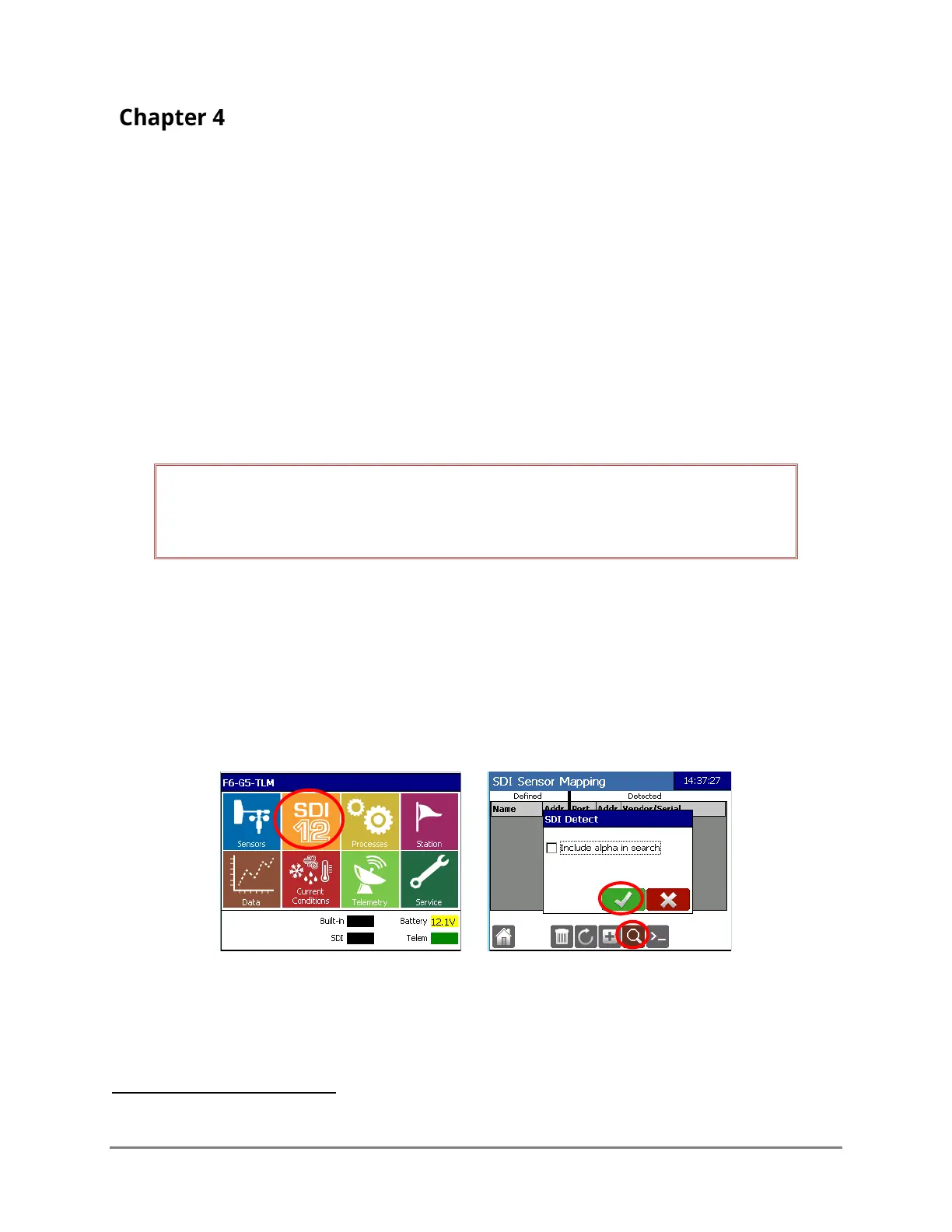
From the Datalogger’s Home screen, select the SDI-12 icon and then the Search icon. Select OK on
the SDI Detect screen. DO NOT check the “Include alpha in search” box.
The following screen will be displayed. Note that the Address displayed will be the address set in the
Bubbler. In this example it is the default address of zero (0). Tap on the “New” field to bring you to
the Bubbler Sensor Setup.
7
Refer to the Axiom Operator’s Manual (700-Axiom-Man) for complete configuration details and the Axiom
Telemetry Reference (700-Axiom-Telem) for detailed instructions on setting up messages.



 To Next Page