SS1807-N002 Checkup, Replacement and Adjustment - 105/137
1.3 Checking Procedures for Power Supply
◆Instruction◆
・ After replacing small cover or WOC POC, check the electrical power supply.
1.3.1 Acquiring the scope log data
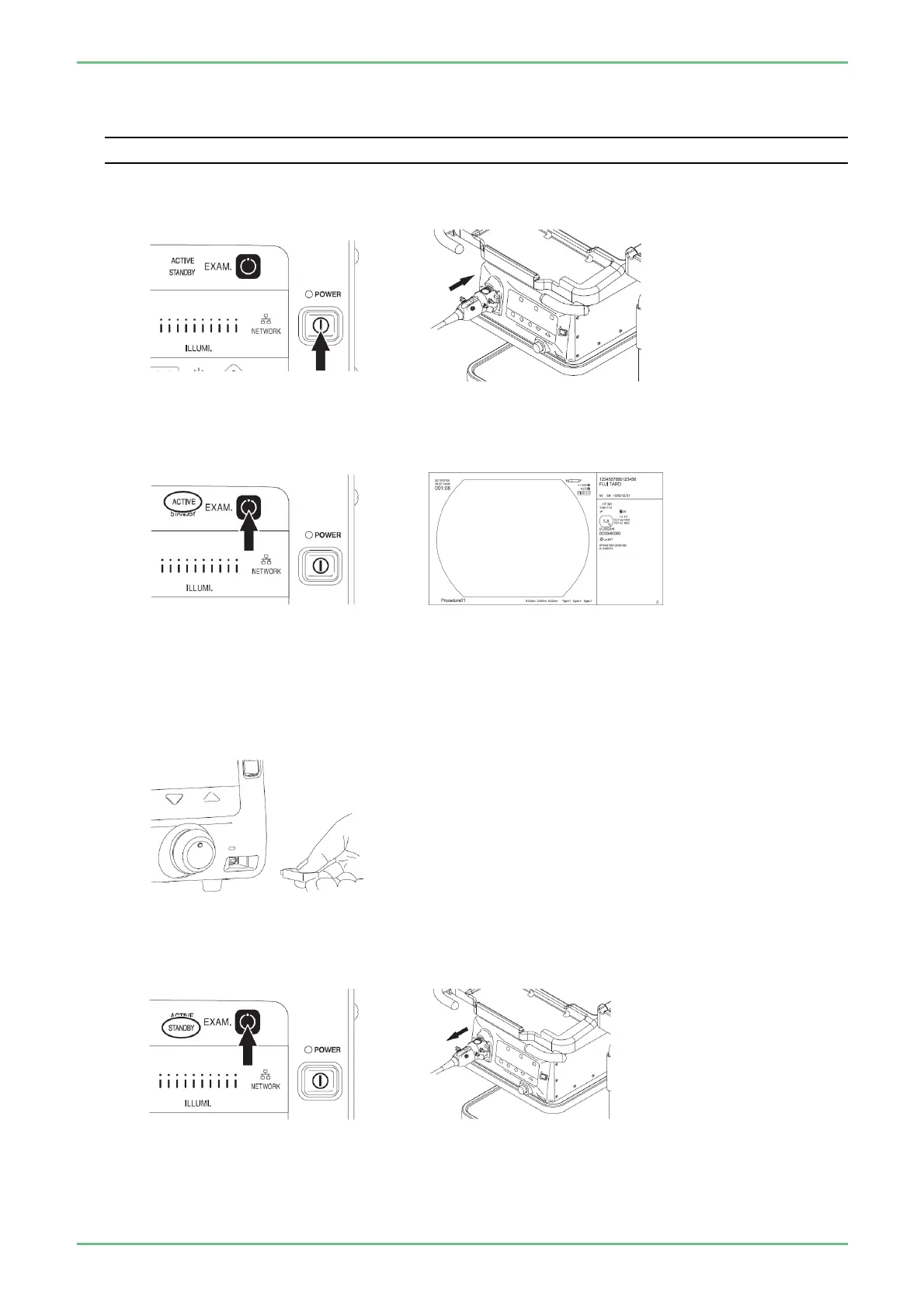
(1) Turn ON the processor and connect the 760 series scope to the processor.
(2) Press the EXAM button to switch the connection status to “ACTIVE”, confirm that the observation
screen is displayed on the monitor.
(3) Wait 2 minutes after the observation screen is displayed.
(4) Connect an external memory to acquire scope log data.
⇒“Instruction of System 2.5.6.2 700 System Scope Log Acquisition”
(5) Hold down the EXAM button to switch the connection status to “STANDBY” and remove the760
series scope from the processor.


 To Next Page