SS1807-N002 Periodical Maintenance - 6/15
3. Periodical checkup
3.1 Storing procedures of Config Data
◆Instruction◆
As the device setting may change during inspection work, save the config data into an external
memory and restore that config data after the inspection work.
(1) Connect the USB memory on which the config data was stored to EP-6000.
◆Note◆
・ For the external memory, prepare and use EP-6000 dedicated one.
If you use an external memory that performed saving other than in EP-6000, the configuration
data may not be correctly saved.
(2) Connect keyboard and the monitor to EP-6000 and turn ON the power.
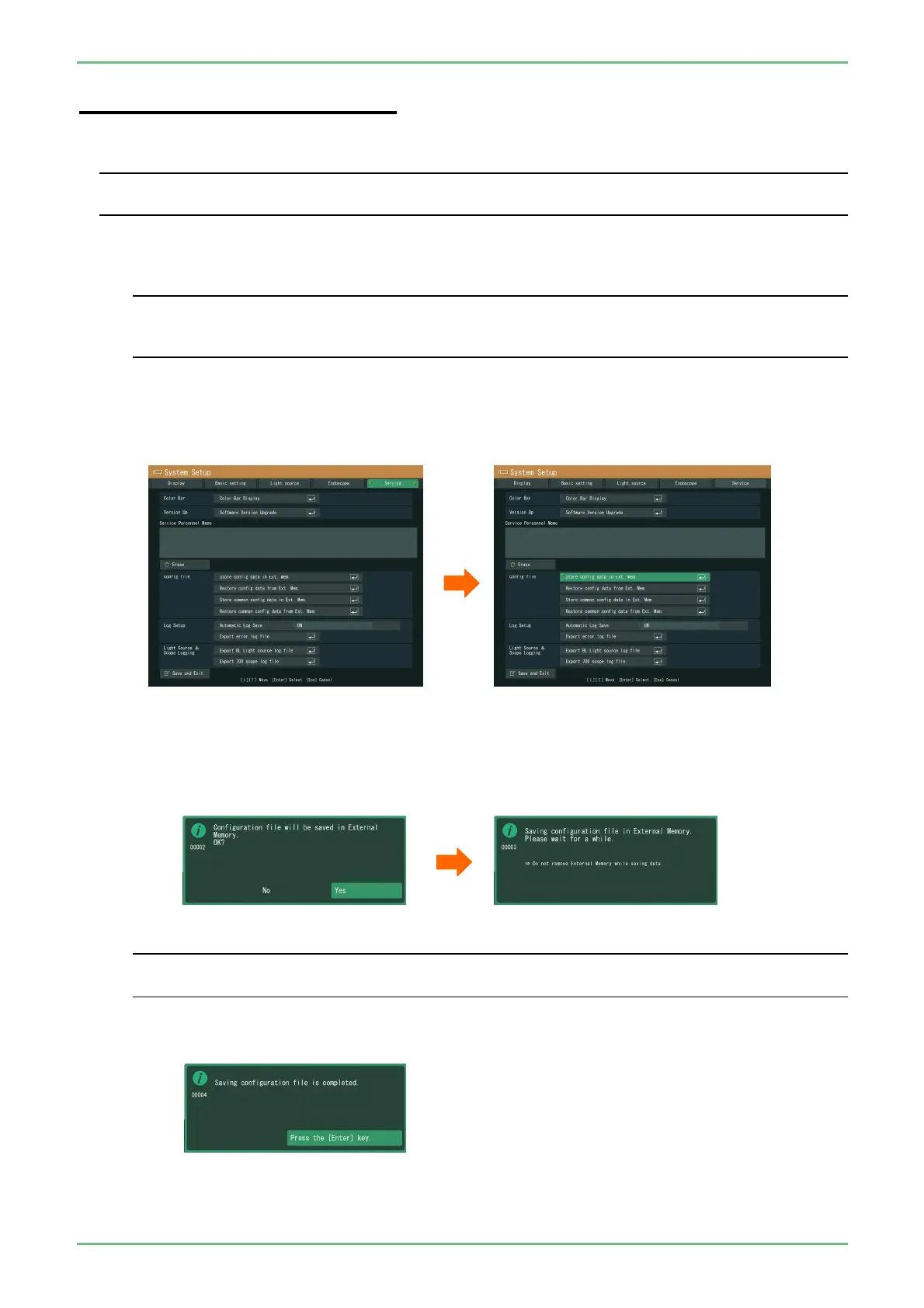
(3) Press the [Shift] + [Alt] + [System] keys of keyboard to display the system setup menu.
(4) Move the cursor to "Service".
(5) Move the cursor to “Store config data in Ext. Mem” and press the [Enter] key.
(6) The message "Configuration file will be saved in External Memory." appears. Move the cursor to
"Yes" and press the [Enter] key.
The message "Saving configuration file in External Memory." appears, and saving the
configuration starts.
◆Note◆
・ Do not touch the processor until the message "Saving configuration file is completed" appears.
If you turn off the power while saving config data, configuration file may not properly be saved.
(7) When the message "Saving configuration file is completed" appears, press the [Enter] key to close
the menu.


 To Next Page