SS1807-N002 Instruction of System - 28/106
2.2.5 Information Output
When “ON” is selected for “Personal Information Protection Mode”, “Patient Name”, “Date of
Birth” and “Sex” in the patient information file (patient.inf) [Note 1] to be transferred to the
external memory or FTP server in the network are left blank.
Move the cursor to “Personal Information Protection Mode” using the [↑] and [↓] keys and then
press the [Enter] key.
In the displayed pop-up menu, select the desired setting using the [↑] and [↓] keys and then
press the [Enter] key to finalize the setting.
Menu item Setting Default Description Remarks
Personal
Information
Protect
ON
Turns on the personal infomation protection
mode.
OFF ○
Turns off the personal infomation protection
mode.
[Note 1] Patient information file “patient. inf” :
When capturing an image, the “patient.inf” file is created in the corresponding folder
[Note 2] to store patient information and examination information.
The termination time of the examination is also written into the file at the end of
examination.
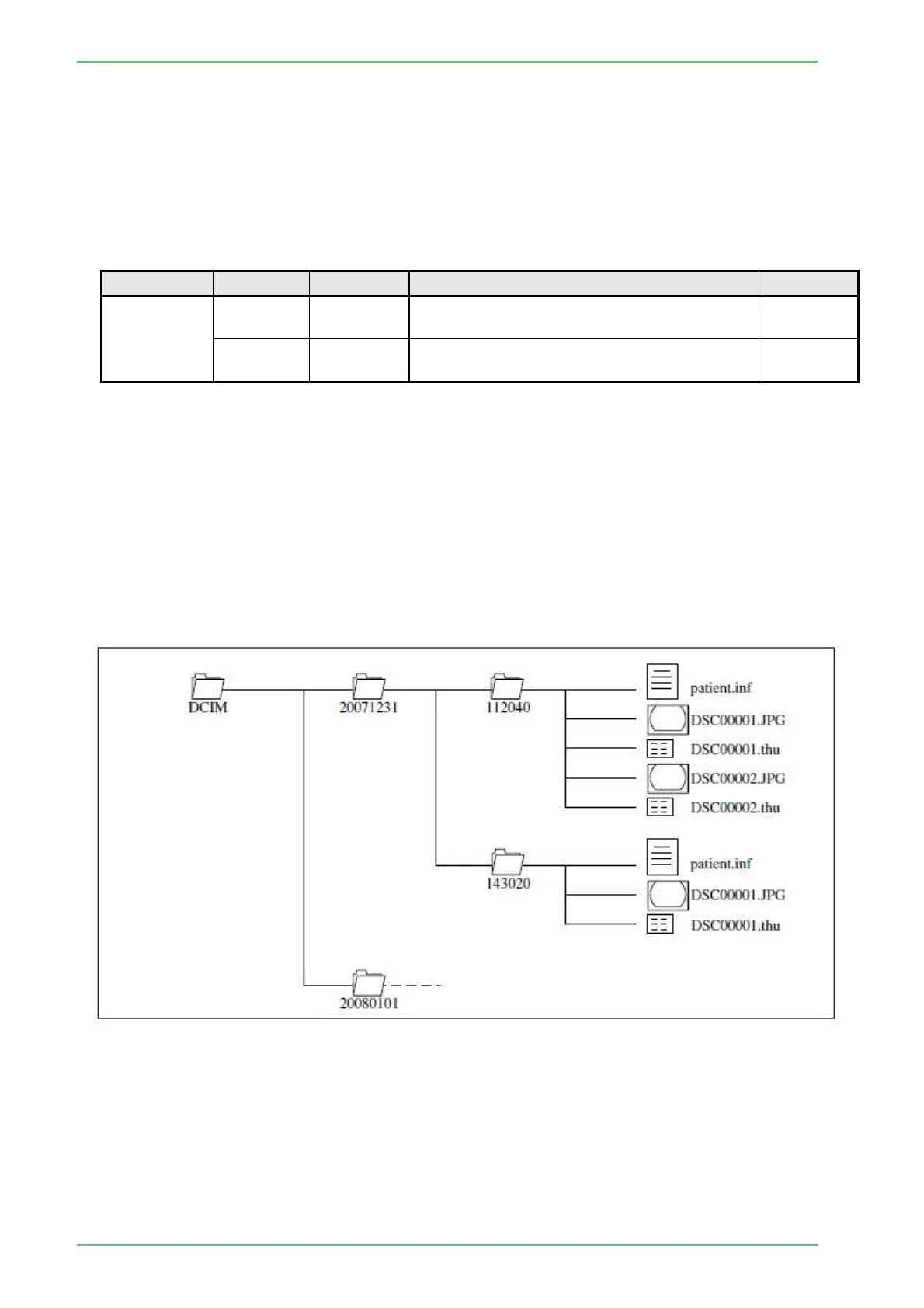
[Note 2] Configuration of record information:
When an image is captured, a folder named with the date of shooting is created and a
folder named with the time of shooting is also created in the folder.
The patient information file “patient.inf” and captured images are saved in the folder
named with the time of shooting.
(Example : When shooting starts at 11:20:40 a.m. on December 31st 2007, images are
saved in the “¥DCIM¥20071231¥112040” folder.)


 To Next Page