SS1807-N002 Instruction of System - 38/106
2.4.1.2 Scope Color Manual Adjust
Adjusts the color of the connected Endoscope manually.
Insert the distal end of the Endoscope into the specified integrating sphere and then perform
“Scope Color Auto Adjust”.
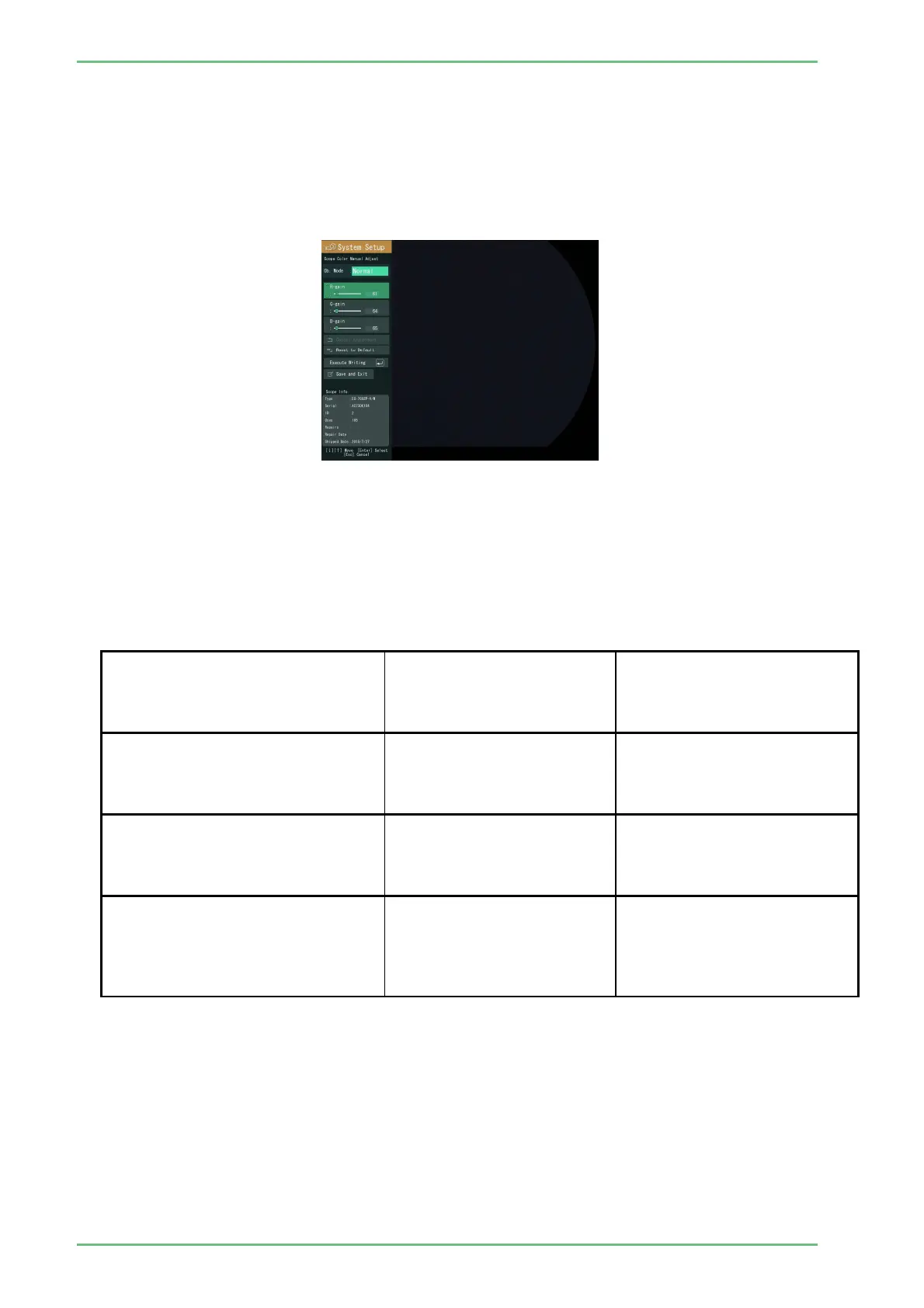
Move the cursor to “Scope Color Manual Adjust” and then press the Enter key.
The screen for “Scope Color Manual Adjust” appears.
Adjust the color data for each Endoscope.
When this screen is displayed for the first time, data written on the EEPROM of the
Endoscope is also displayed.
[Note] To write manually adjusted values onto the EEPROM, select “Execute Writing”.
The relationship between each adjusting operation and the resulting image is shown in
the table below.
<Adjusting operations and resulting images>
Adjusting operation
Image displayed immediately
after adjustment
Image displayed after the
power is turned off and then on
(to re-read data from the
EEPROM)
(1)"Execute Manual Adjust" is
selected.
(2)"Execute Writing" is selected.
(3)“Save and Exit” is selected.
Image after manual
adjustment
mage after manual adjustment
(1)"Execute Manual Adjust" is
selected.
(2)"Execute Writing" is selected.
(3)The Esc key is pressed.
Image before manual
adjustment
mage after manual adjustment
(1)"Execute Manual Adjust" is
selected.
(2)“Save and Exit” is selected
without selecting "Execute
Writing".
Image after manual
adjustment
mage before manual
adjustment


 To Next Page