ErgoPro m664-series PC Specialist's Handbook
Page 1-10 Edition 1 - Release 1 - March 1998
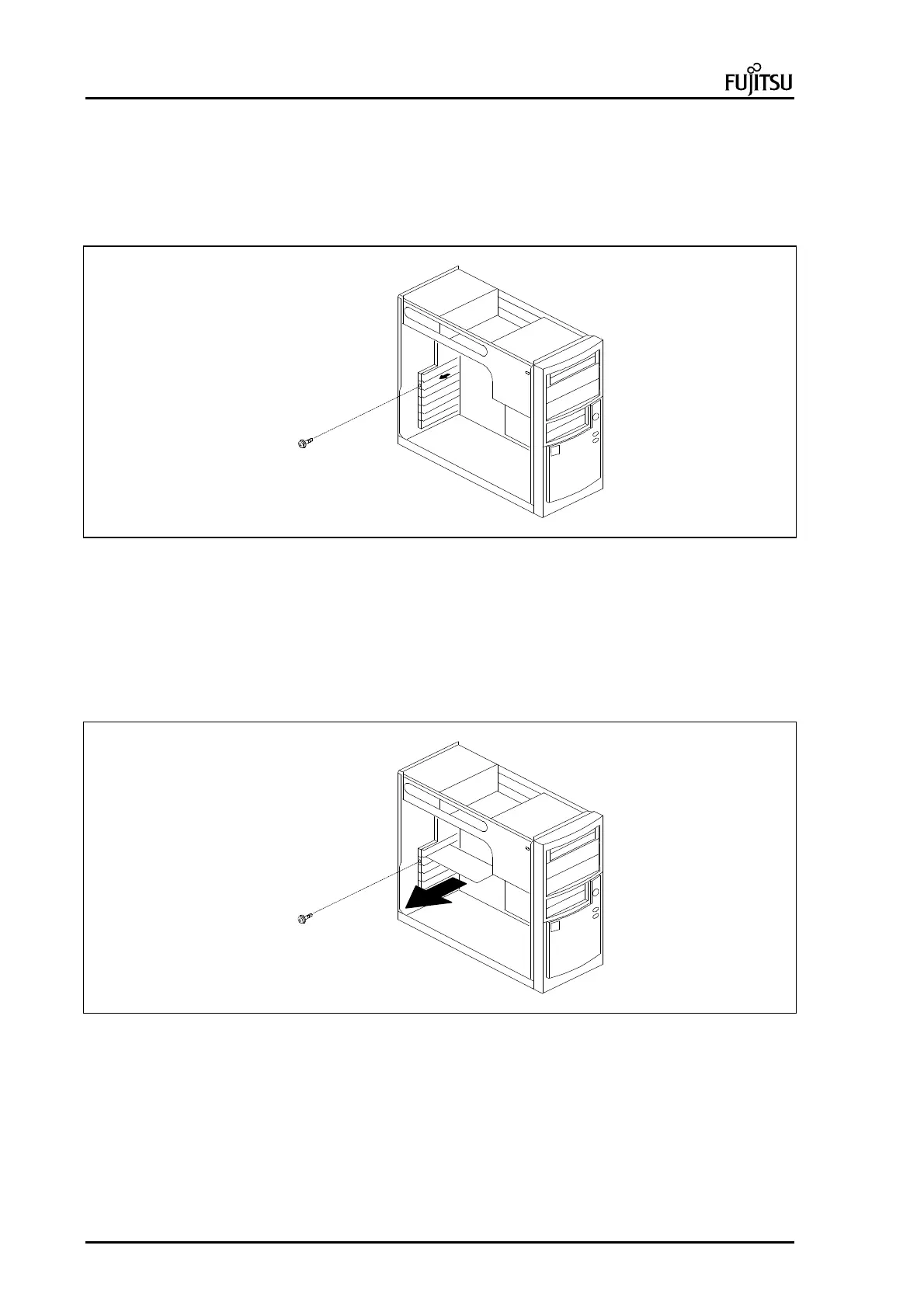
Removing/Adding an Expansion Slot Cover
To remove/add the Expansion Slot Cover, do as follows:
1. Remove the System unit cover (see page 1-6)
2. Remove screw that holds the Expansion Slot Cover (A)
3. Pull the Expansion Slot Cover out of the chassis(B).
A
B
Picture 13 : Removing an Expansion Slot Cover.
Removing and installing the additional adapter card
To remove the additional adapter card, do as follows:
1. Remove the system unit cover (see page 1-6)
2. Disconnect possible cables from the adapter.
3. Remove screw (A) that holds the adapter card in expansion slot.
4. Pull adapter card from expansion slot with care (B).
A
B
Picture 14 : Removing additional adapter card.



 To Next Page
 Loading...


