Operation and Cleaning
5-8 C156-E228-02EN
5.3.2 Write protect tab
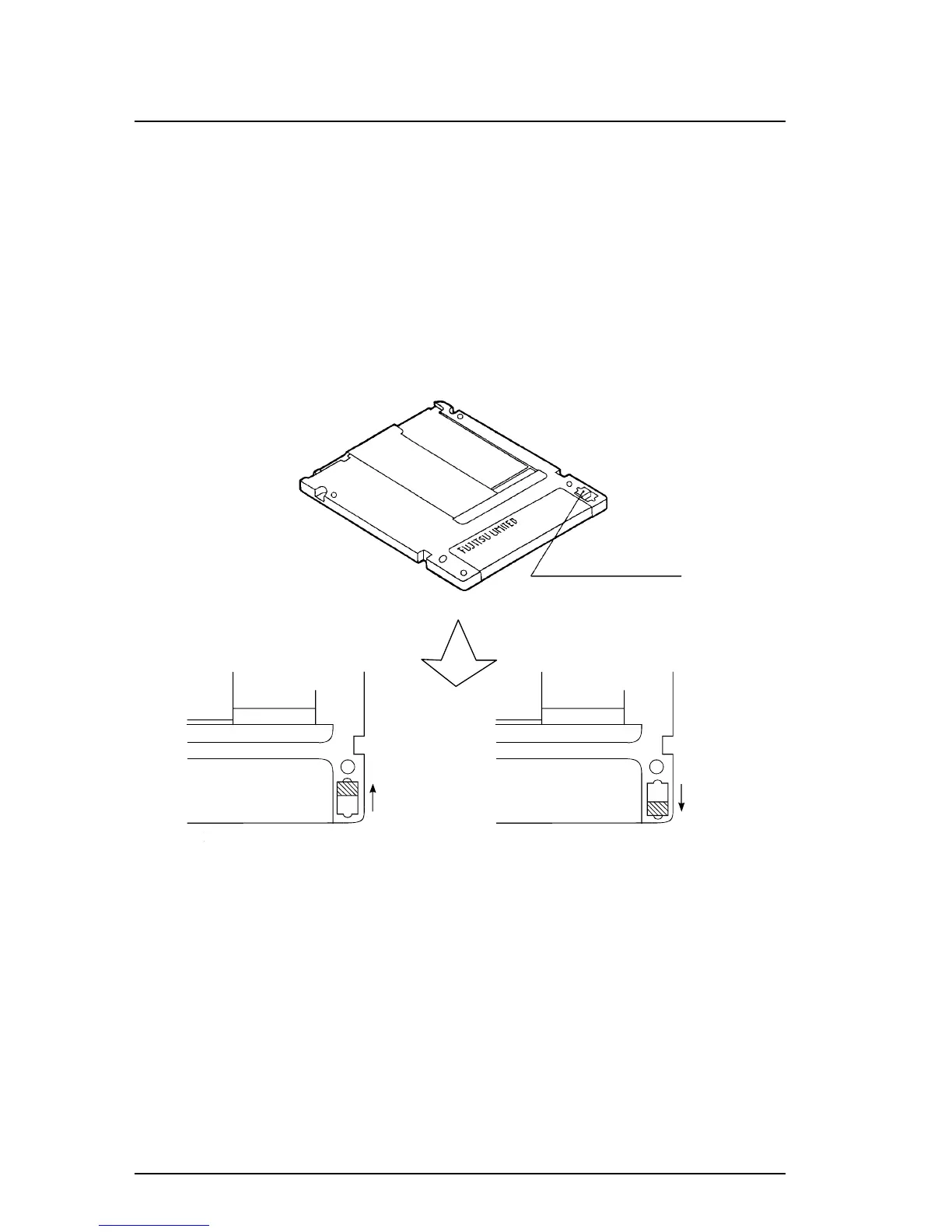
Move the write protect tab to enable or disable writing to an optical disk cartridge.
Use a fingernail or something similar to move the write protect tab (it must be
completely moved to one end because there is some play in the middle).
Figure 5.5 shows where the write protect tab is located on a optical disk cartridge
and how the write protect tab should be moved (see the Write Enabled and Write
Disabled indications printed on the label).
Note: The write protect tab should be at each of the shaded portions.
Figure 5.5 Write protect tab
Write protect tab
Tab moved



 To Next Page