Operation and Cleaning
5-12 C156-E228-02EN
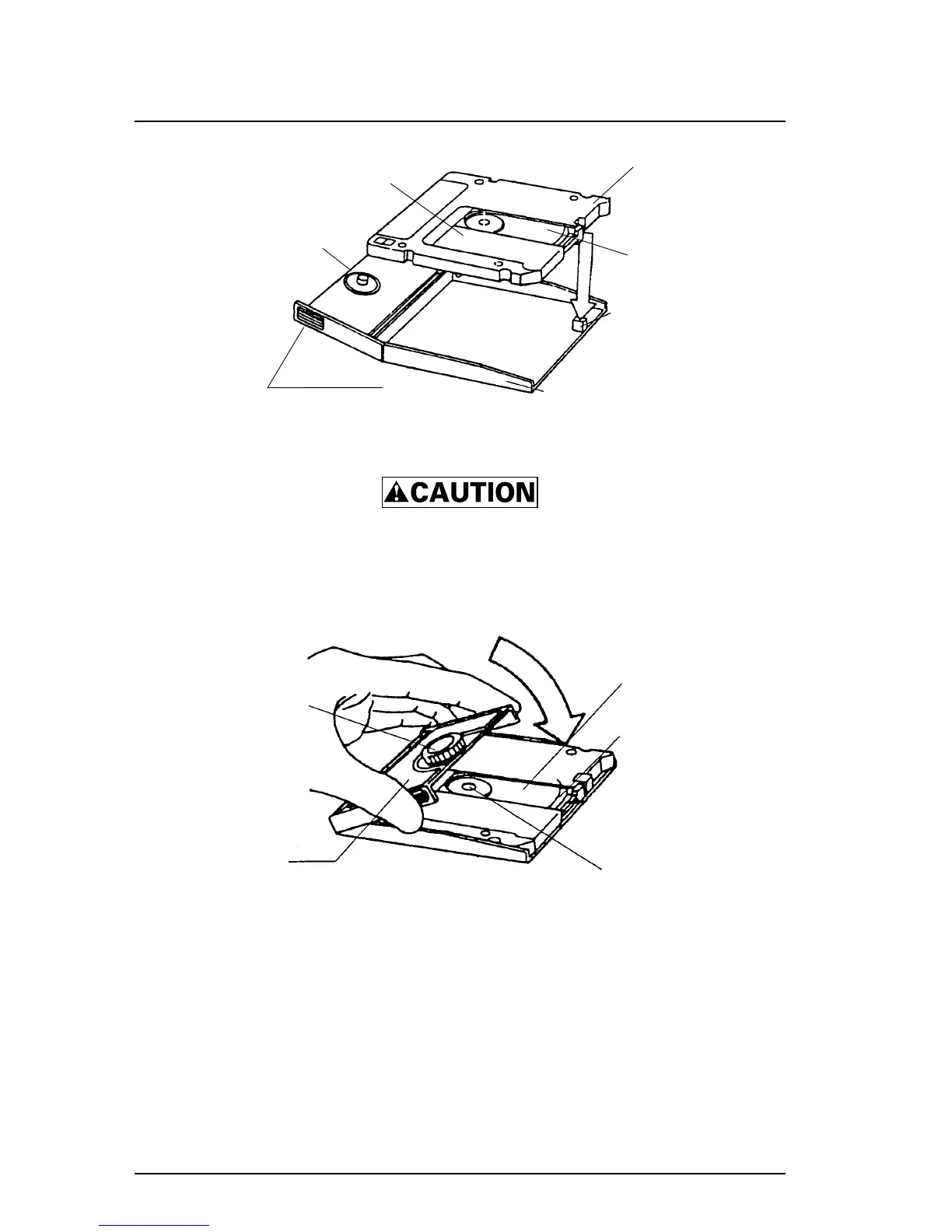
Figure 5.7 Setting an optical disk cartridge into the setting case
Disk damage: Do not press hard or apply excessive shock to an
optical disk cartridge case while setting it in the setting case.
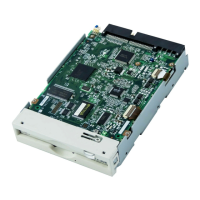
3) Place the setting case cover over the cartridge while inserting the disk
revolving knob pin into the center hub of the cartridge (see Figure 5.8).
Figure 5.8 Placing the setting case cover
4) When wiping the disk, remove from the disk surface any fragments that may
damage it.
5) Moisten the accessory cleaning cloth with a few drops of the cleaning
solution.
Shutter stopper
Setting case
Setting case lid
Optical disk
Spindle
Shutter
Cartridge
Cartridge opening



 To Next Page