9-4
Chapter 9 File Transfers Saving Examination Data
Saving Data Manually (Simple Operation)
Manually save examination data on the specified media after each examination is finished.
1Perform an examination.
2Insert the storage media into this device.
If the media is not formatted, format it first.
(
"Initializing the Data" P9-2)
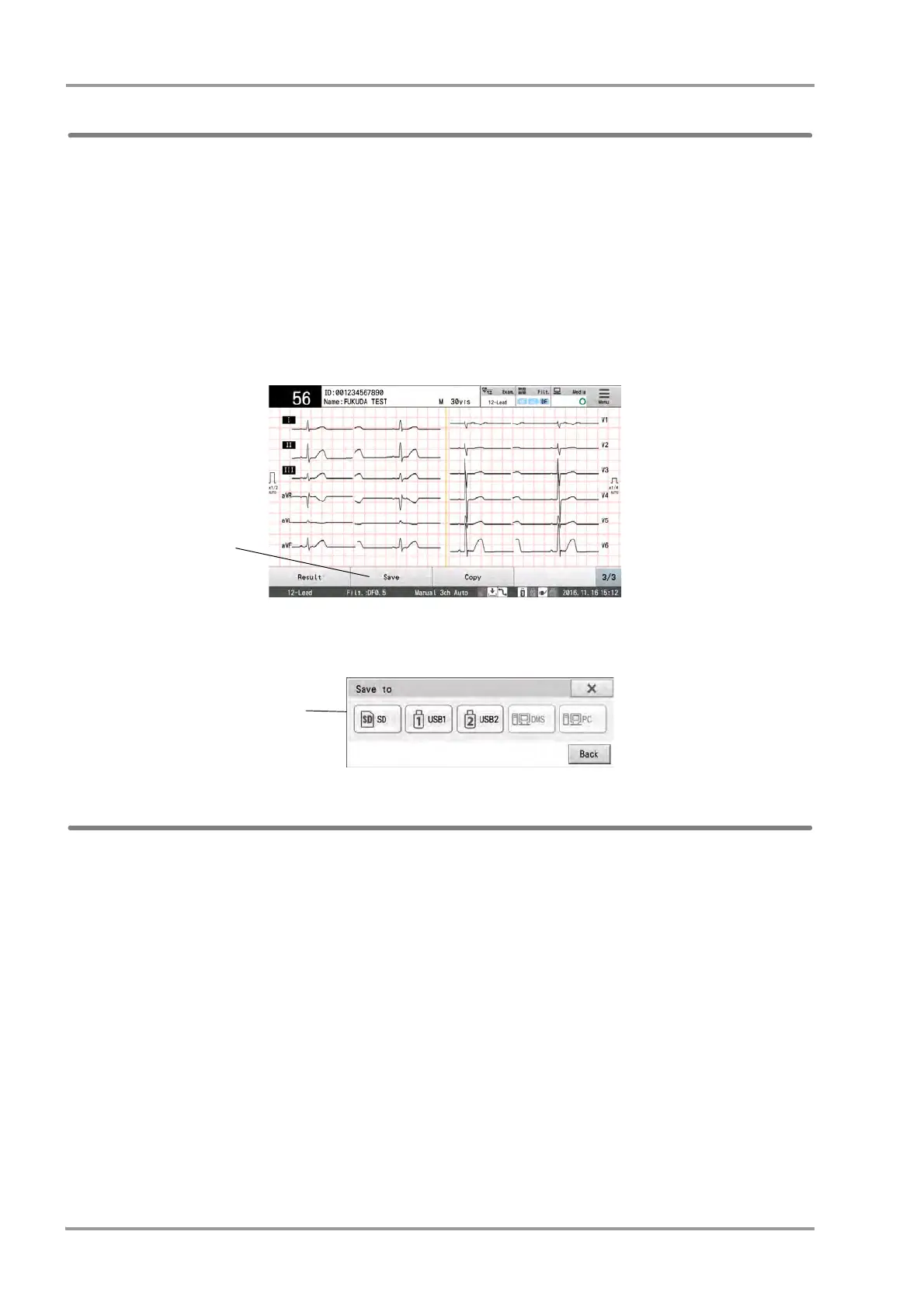
3Touch [Save] after the examination is finished.
The media selection window will be displayed.
4Touch the media to save the data.
The data will be saved on the selected media.
Saving Manually (File Utility Operation)
The data can be saved to the media. The storage media can also be selected.
1Conduct the examination.
2Insert the storage media into this device.
If the media is not formatted, format it first.
(
"Initializing the Data" P9-2)



 To Next Page