9-19
Chapter 9 File Transfers Naming Folders
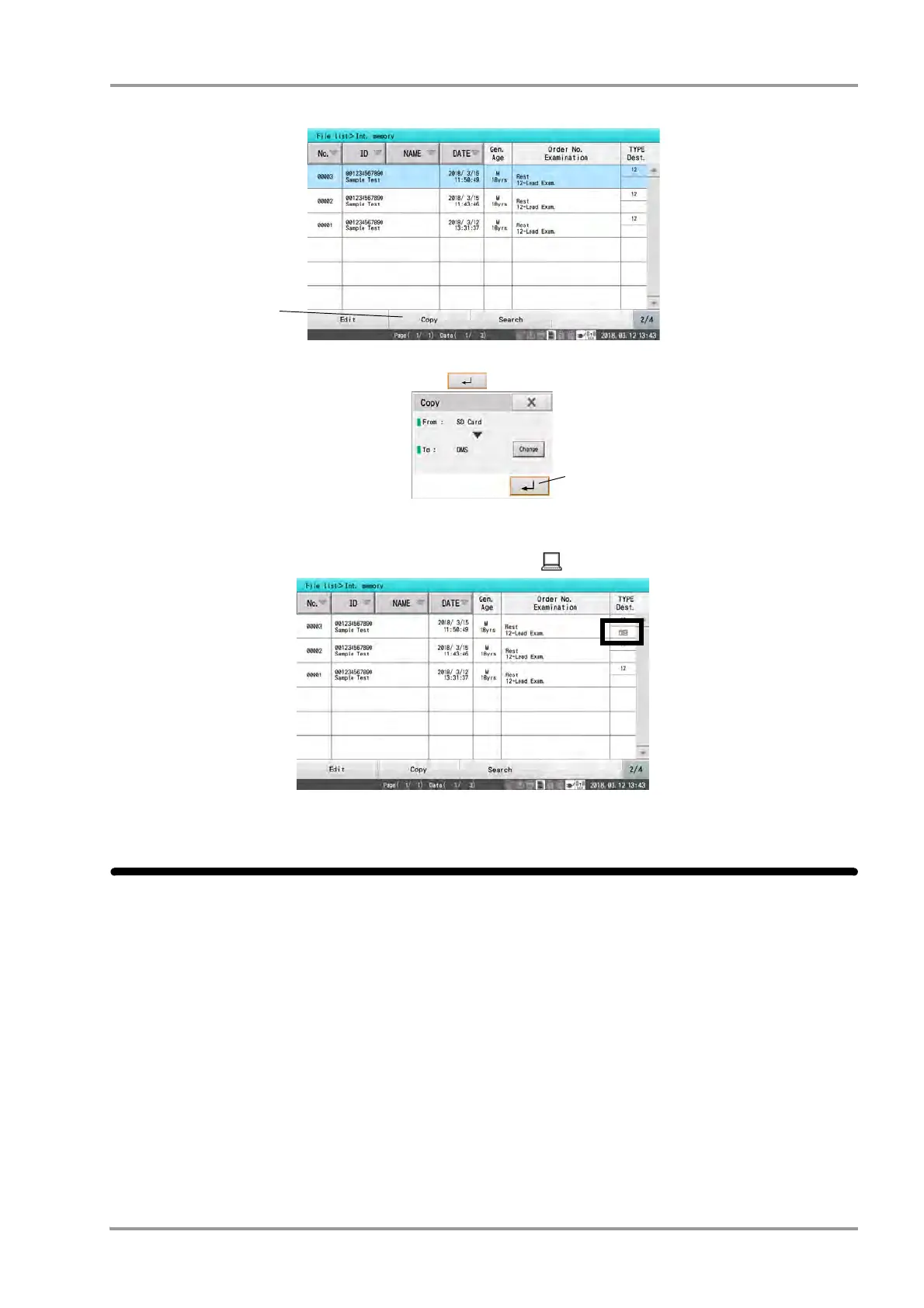
4Touch [Copy].
5Check the media to copy the data and touch [ ].
To change the media to copy the data, press [Change].
6When data is copied from media to DMS, the registered icon is displayed.
Naming Folders
Folders on USB memory can be named to organize the saved data clearly.
1Insert a USB memory into this device.
2Touch [Menu] - [File/Communication] - [Media Mgmt.] - [Folder Management].


 To Next Page