3-5
Chapter 3 Preparation before Examination Setting the Sensitivity
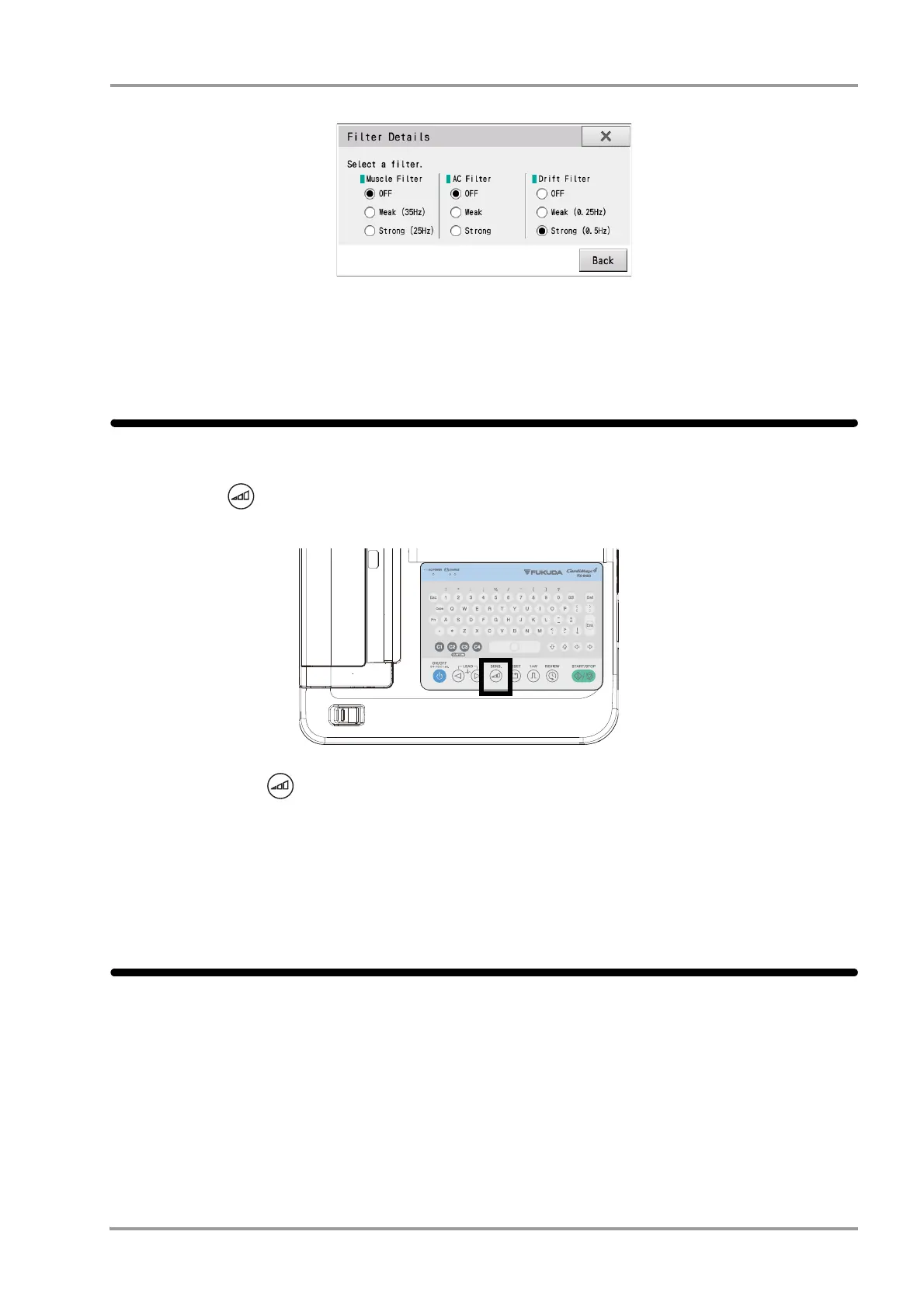
3To carry out detail setup, touch [Details]. The detailed settings window is displayed.
Set the filter property to "Strong", "Weak" or "OFF" for each filter.
4Press [X] or [Back] to end the setting.
Setting the Sensitivity
It is possible to set the sensitivity (waveform amplitude) of waveforms that are displayed or printed.
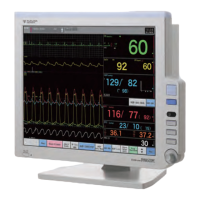
1Press the (Sensitivity) key on the operation panel.
Each time the (Sensitivity) key is pressed, the selection will sequentially change in the order of "AUTO"
→ "x1" → "x1/2" → "x1/4" → "x2" → "AUTO"→ ...(cm/mV).
When "AUTO" is selected, the optimum sensitivity for display and printing is selected from 1 cm/mV, 1/2 cm/
mV and 1/4 cm/mV.
Waveforms are displayed with the selected sensitivity.
Check Carefully
To ensure the patient's safety and to record/print the stable ECG waveforms without noise interference, check the
following.
Is the place of examination appropriate?
Check for noise generating electrical devices such as X-ray imaging machine or ultrasonic instruments nearby.
If there is, turn OFF the power of those device or select another place for examination.If the bed is metallic,
ground the bed.
Is the temperature of the place of examination kept within 20°C to 25°C (68°F to 77°F) range?
Select a location with low humidity.


 To Next Page