5-15
Chapter 5 12-Lead Examination Printing Commentary
[Interpret.]: The content is printed for all interpretations.
[No]: Analysis guides and commentary are not printed.
Printing
Printing Analysis Report
1Conduct 12-lead examination.
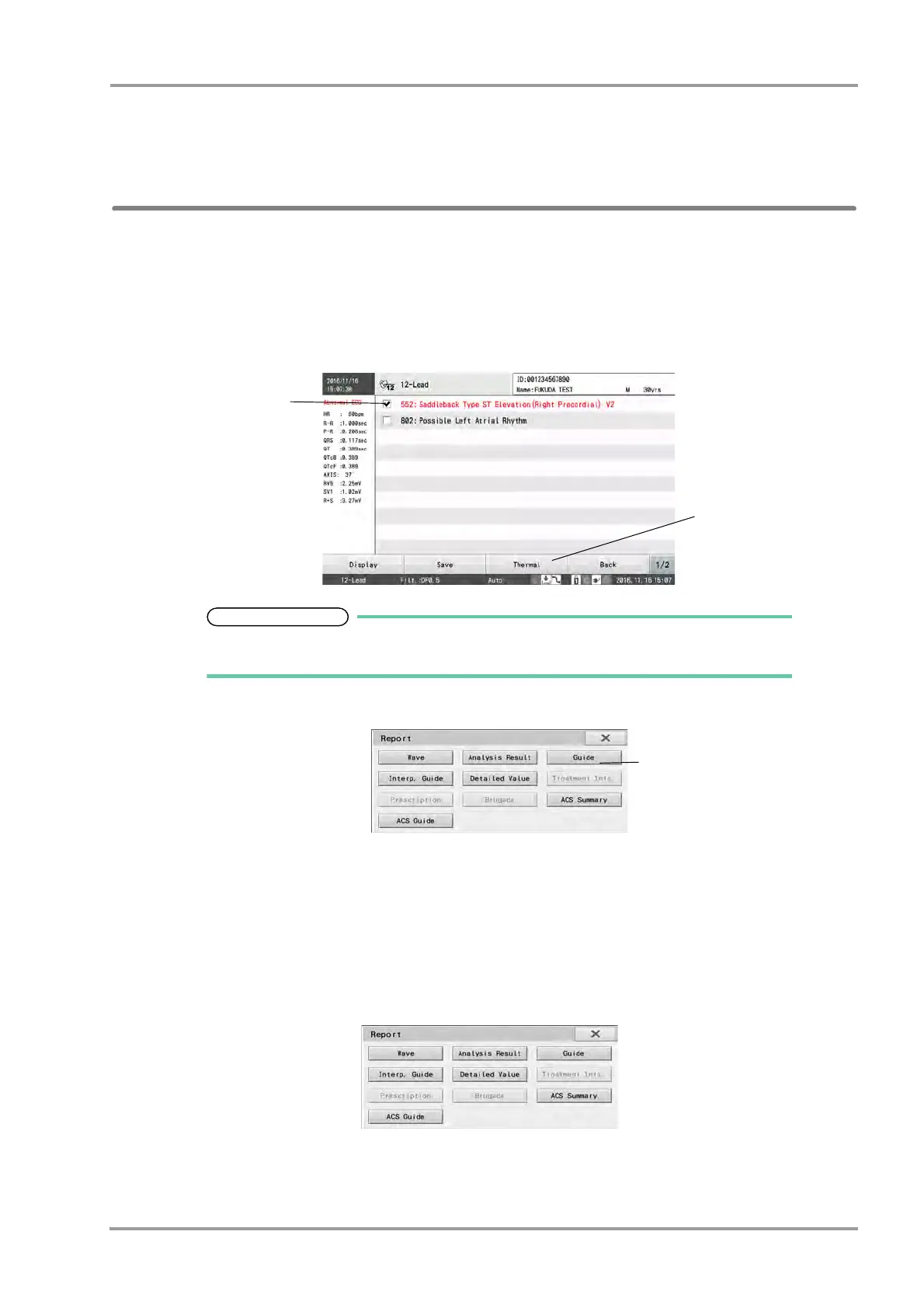
2When the examination results appear, swipe the display left or right to display the "Analysis Results" and select
the interpretation to print.
The interpretations will be displayed in following colors according to the grade.
Grade 6: Red, Grade 4: Blue, Grade 2, 0: Black
3Touch [Thermal] - [Guide]
The Analysis Report will be printed.
Printing Commentary Report
1Follow the steps in "Printing Analysis Report" in the previous section, display the [Analysis Results] window,
and check the finding you want to print.
2Touch [Thermal] - [Interp. Guide].
3The Commentary Report will be printed.


 To Next Page