11-4
Chapter 11 Ordering System Selecting Order Information and Conducting Examination
Selecting Order Information and Conducting Examination
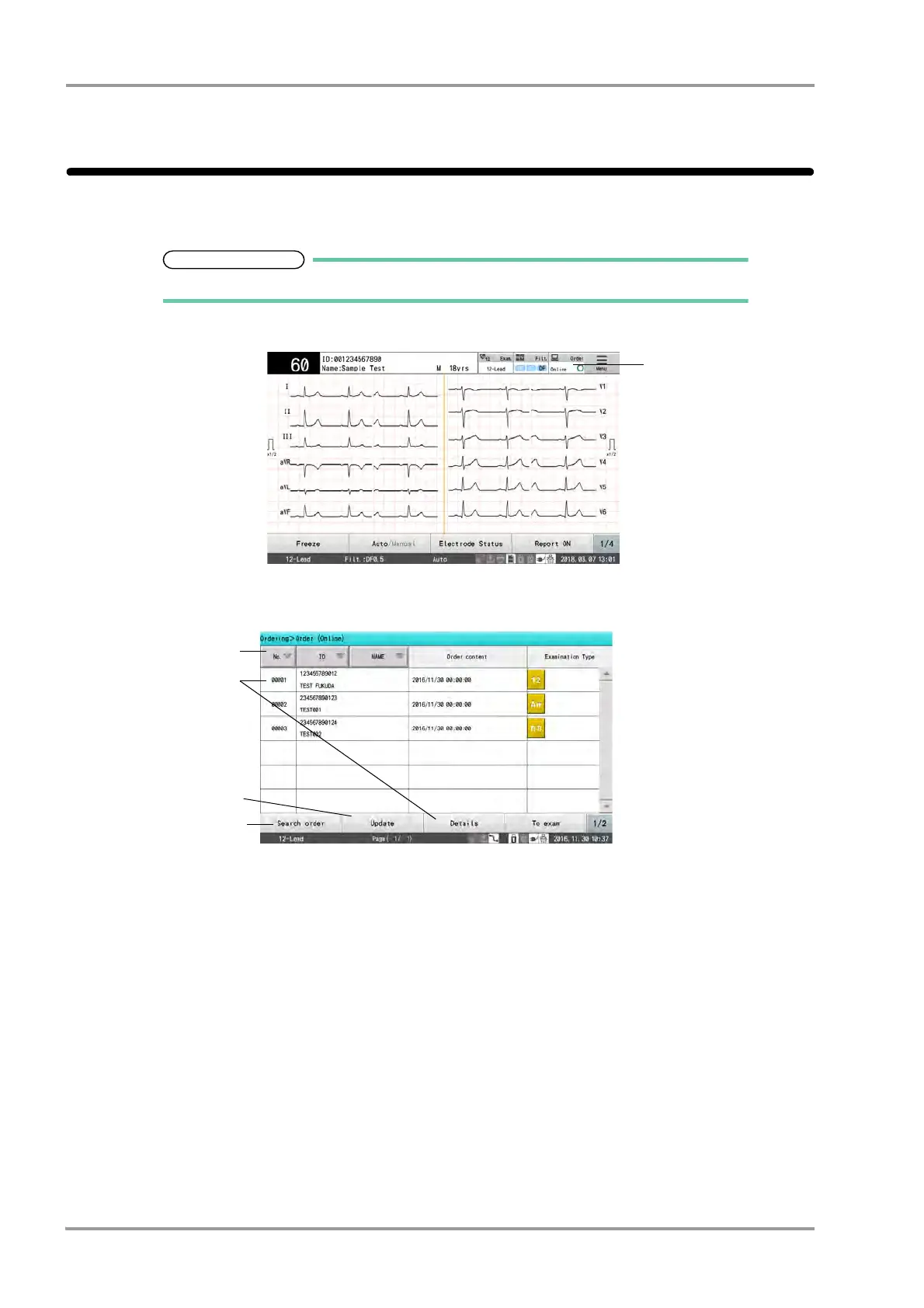
Obtain the order information, and display the order information list.
Select an order from the list and perform the examination.
For procedure of each examination, refer to the respective chapter in this operation manual.
1Touch [Order].
The order information list will be obtained.
A maximum of 500 order information can be displayed.
1 Touch the data to be loaded. When the data is highlighted, touch [Details] to check the detailed order
information.
2 Touch the title area to sort the list in ascending or descending order.
3 [Search Order]: Order can be searched. (
"Searching Order Information" P11-5)
4 [Update]: The latest order information will be obtained and displayed.



 To Next Page