9-11
Chapter 9 File Transfers Printing the Reports on External Printer
The directly written waveform report will be printed only on the thermal printer regardless of
the setting.
The report type to print on the external printer can be selected using the [Printer Output/PDF]
function key on each examination screen.
Printing Manually (Simple Operation)
The report can be printed manually on external printer from the examination result screen.
1Conduct the examination.
2Connect the external printer to this device.
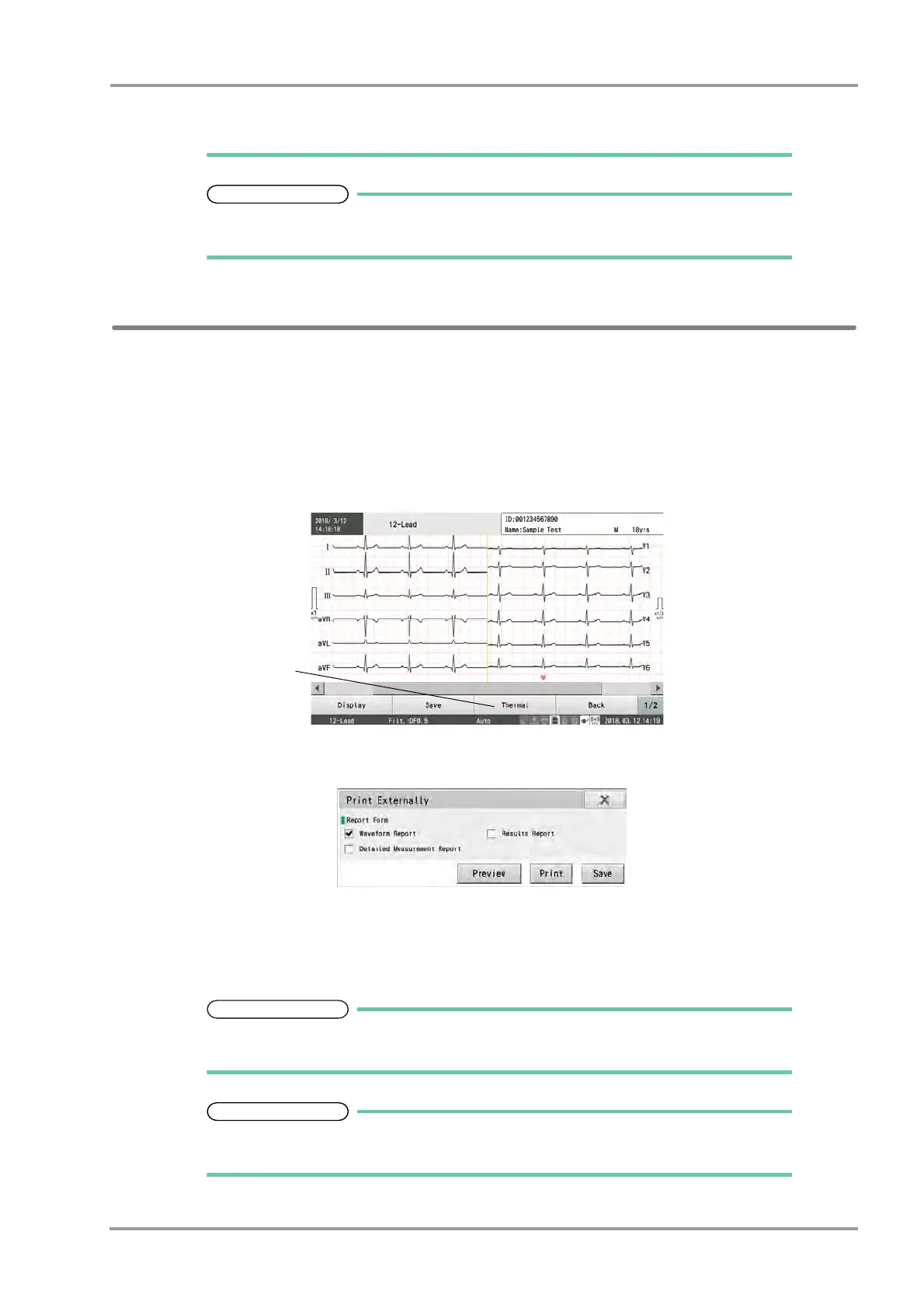
3Touch [Thermal] on the result screen when the examination is completed.
4Select the report type on the "Printer Output" window.
5Touch [Print].
The selected report will be printed.
The reports cannot be printed simultaneously on both the thermal printer and external
printer.
The report type to print on the external printer can be selected using the [Printer Output/
PDF] function key on each examination screen.



 To Next Page