4-9
Chapter 4 Entering Patient Information Using Information on SD Card
Retrieving the Patient Information Using the ID Number
Use the ID number to load the patient information from the SD card.
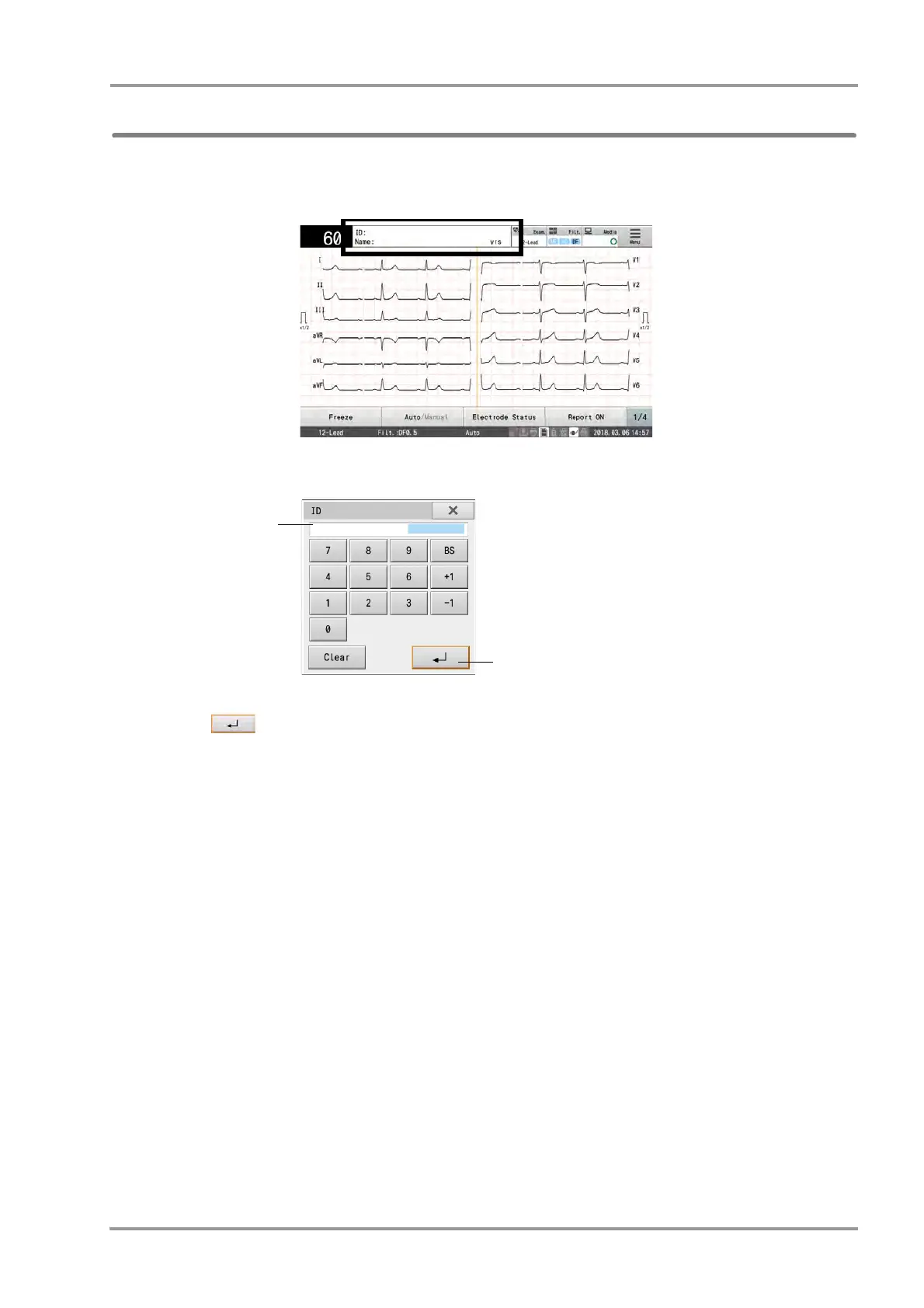
1Touch the patient information display area to display in the Patient Information Setting window.
2Enter the ID number.
3Touch .
The ID entered is reflected in the "Patient Information Setting" window.
The patient information will be searched on the SD card from the ID entered, and the information searched
will be displayed in the patient information display area.
The message "No patient information was found for the entered ID number" is displayed if there is no patient
information corresponding to the specified ID number.


 To Next Page