1-11
Chapter 1 General Description Basic Operation Procedure
Selecting Setting Values
Below are procedures for selecting one or more items from multiple setting values displayed.
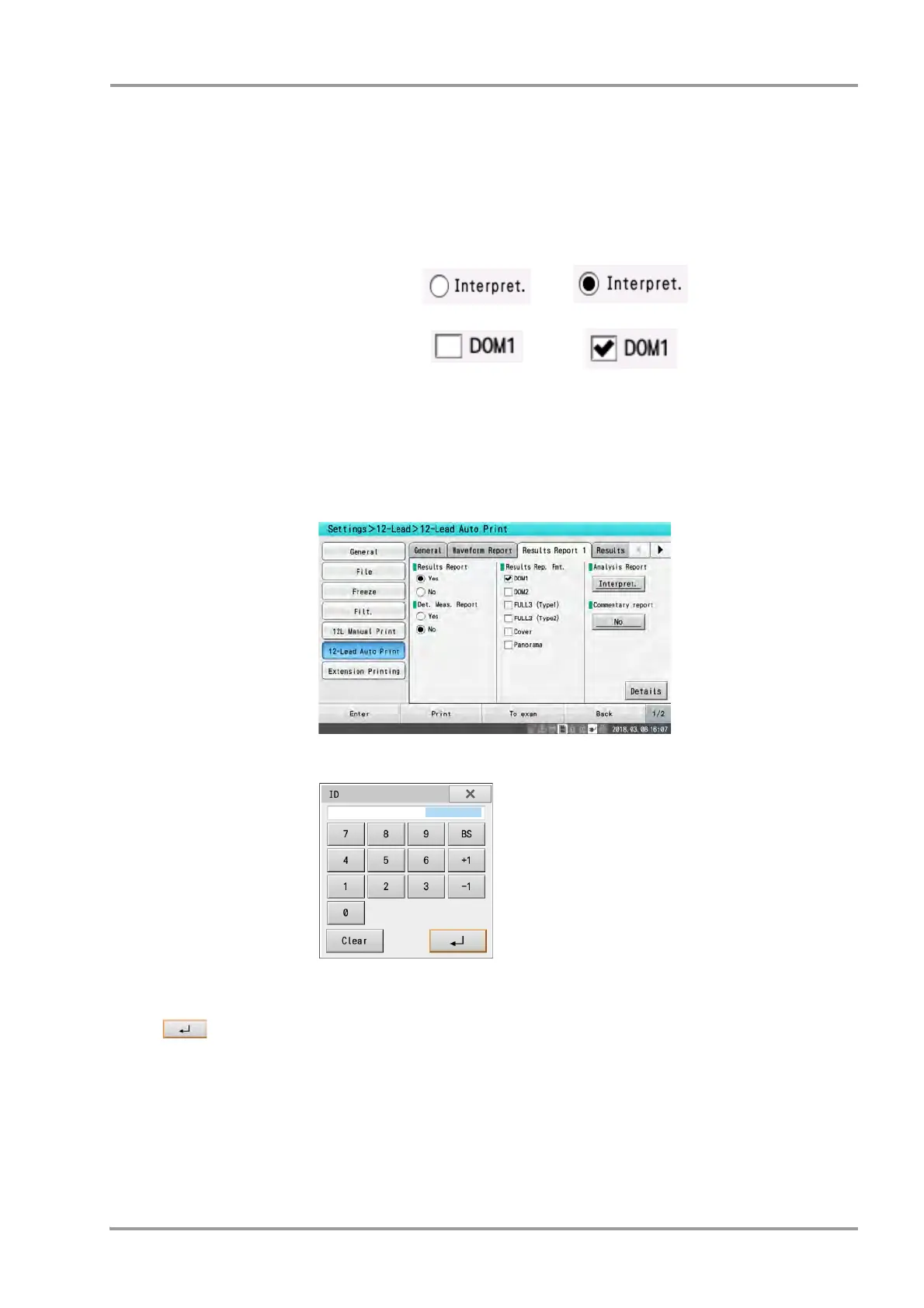
1Press the desired setting value.
The display changes as shown below.
Selecting Items by Touching Buttons
Below are instructions on selecting items by touching the desired button in a set of multiple displayed buttons.
1Touch the button corresponding to the desired item.
More detailed setup items are displayed.
Common operation in the windows
[x]: Closes the window.
[Clear]: All numbers entered are cleared.
[ ]: The content entered is reflected in the window.
Unselected Selected
When only one item can
be selected
When multiple items can
be selected


 To Next Page