18
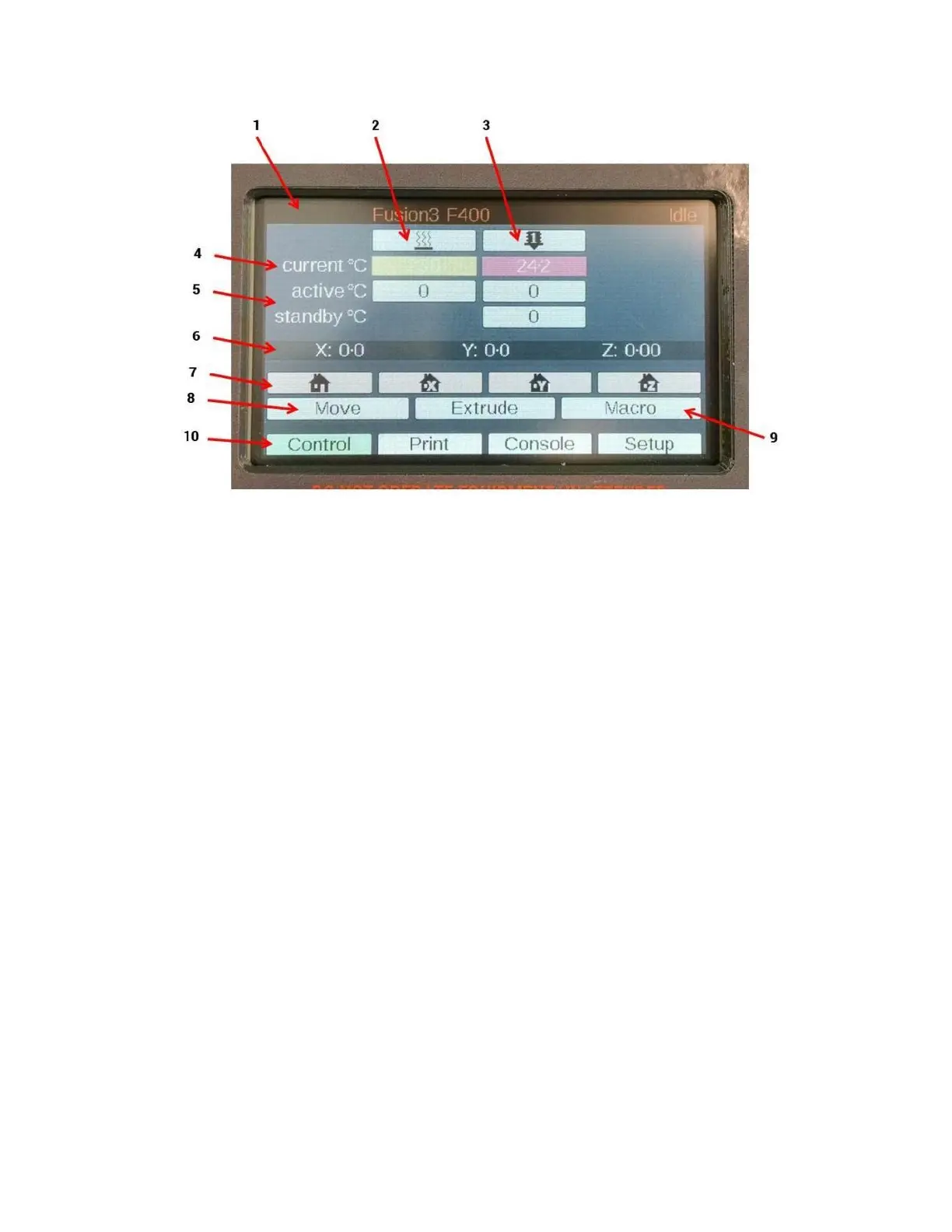
1. Message bar
2. Bed heater control column
3. Print head control column
4. Current temperature row
5. Temperature control rows
a. “Active” = setpoint; the temperature the component is trying to reach
b. “Standby” is not used
c. Touch the active temperature cell to change the setpoint of the heaters (see below)
6. Current position in 3D space (may not be accurate until the machine is homed; see below)
7. Homing controls (left to right: home all, home X, home Y, home Z)
8. Move submenu
a. NOTE: the printer will prevent you from moving an axis unless it has been “homed” first.
9. Macro submenu
10. Tabs row (active tab is green)



 To Next Page