74
11.5 Check & Adjust Bearing Preload
The linear motion assemblies on your F400 have adjustable preload. Periodically inspect them to ensure they are
still tight on the rails for best performance.
Service interval: Every 300 hours
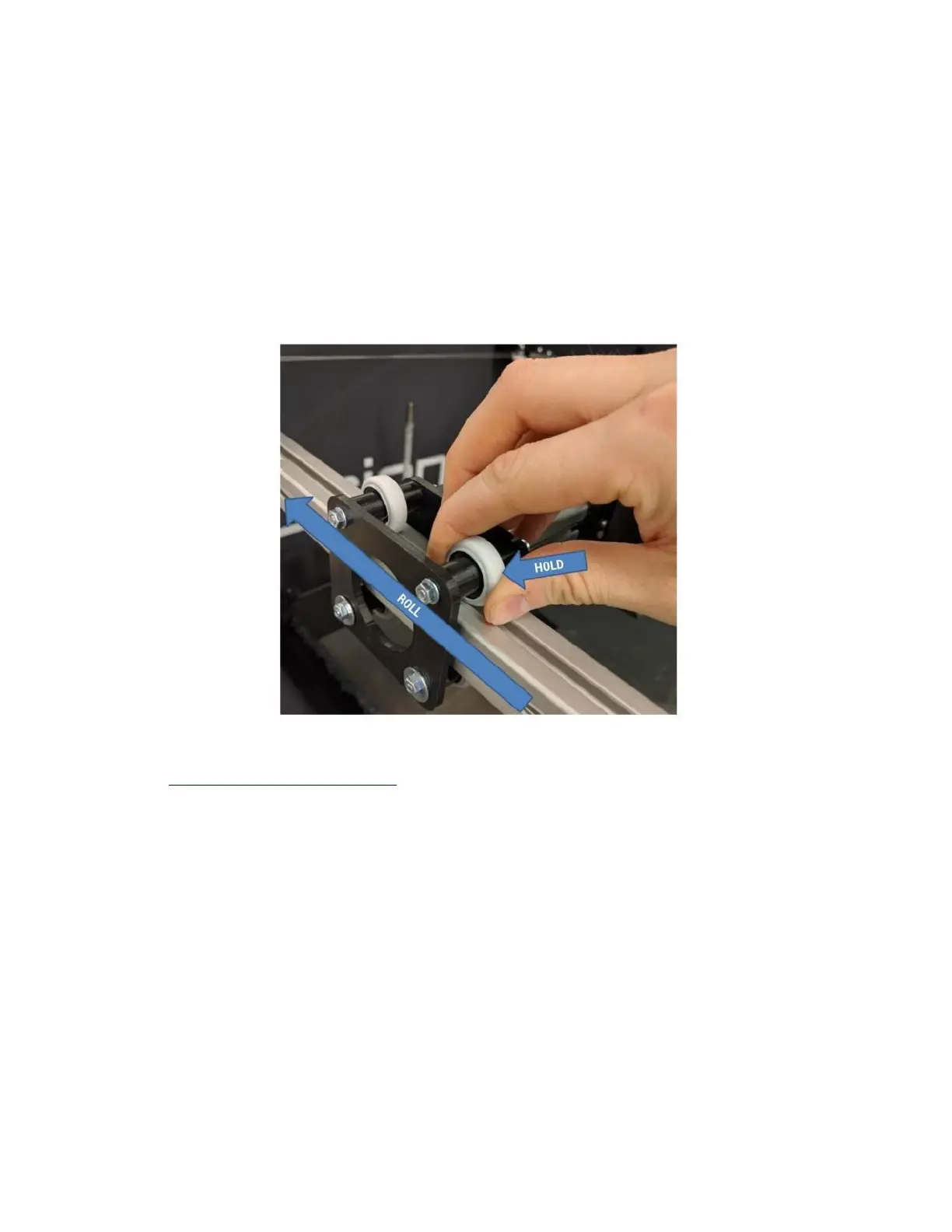
With the printer powered on and motors disabled (macro > disable motors):
Grasp the wheel in your fingers as shown. Slide the carriage along the rail while preventing the wheel you’re
holding from rotating.
If there is little to no resistance, the preload is too loose. Use the preload adjustment wrench (download from our
website: https://fusion3design.com/manuals) to rotate the eccentric cams to adjust the preload. You can also use
two 13mm wrenches with the handles lined up.



 To Next Page