17
5 Control Panel Information
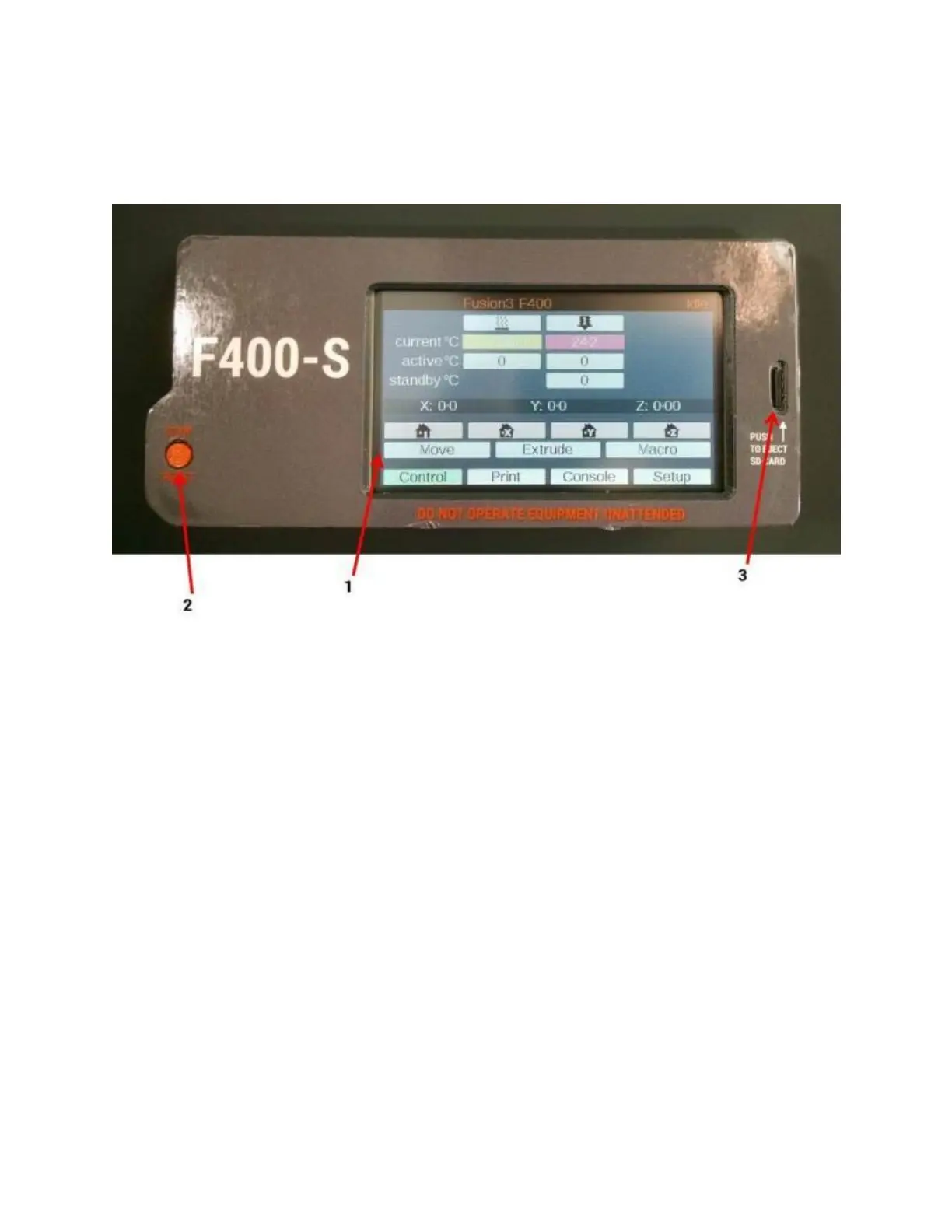
The control panel is a full color resistive-type touchscreen that gives you full control over your F400. It also
contains a microSD card reader and a hard “stop/reset” button.
1. Touchscreen interface (see below for more detail)
2. Hardware “stop/reset” button. Pressing this button will immediately cause your printer to stop what it’s
doing and reboot. It’s useful if something goes wrong and you want the printer to stop immediately.
When you press this button the motors will be switched off and power will be cut off from the bed heater
and print head.
3. microSD card reader
5.1 Control Tab
The control tab is the default screen you will see when you power your printer on. It gives you access to basic
temperature and motion controls, and other tasks you’d commonly need to prepare to run a print (such as loading
filament).



 To Next Page